 Behavly
Rage clicks and dead clicks: let an agent find where users get stuck
Rage clicks and dead clicks are the clearest signs that something on a page is not working. Here is what each one means, how Behavly records them per person, and how Behavly Agent finds the page, the element and the people behind them, then helps you follow up.
Most behavior on a page is quiet: people read, scroll and move on. Two kinds of click are loud. A rage click is someone clicking the same spot over and over, fast. A dead click is a click on something that did nothing. Both say the same thing: here, the page did not do what the person expected.
This post covers what each one means, where Behavly shows them, and how Behavly Agent goes from “there are rage clicks” to the element, the people and the next step.
Rage clicks vs dead clicks
| Rage click | Dead click | |
|---|---|---|
What happens | The same spot clicked again and again, fast: in Behavly, 3 or more fast clicks in one spot | One click on something that did nothing |
What it usually means | Something is slow, broken or not responding | Something looks clickable but isn’t |
Typical causes | A button that waits with no feedback, a form that silently fails, a control that doesn’t respond on a phone | Text or an image styled like a link, a disabled control with no reason shown, an icon people expect to open something |
What to look at first | The element, the device and what happened right after | Whether people expected a link or a detail view there |
Where Behavly shows them
- Insights → Site activity counts rage clicks in a tile that links straight to Heatmaps.
- Heatmaps paints a Rage clicks layer on your live page, next to Clicks, Movement and Scroll, for everyone or for one person.
- The Friction pill in the Heatmaps toolbar keeps the people who rage-clicked, who dead-clicked, or either. Add Page and Device to narrow it further.
- Each signed-in person has their own map: the Heatmaps column in their row opens their own Rage clicks layer, across every browser they used.
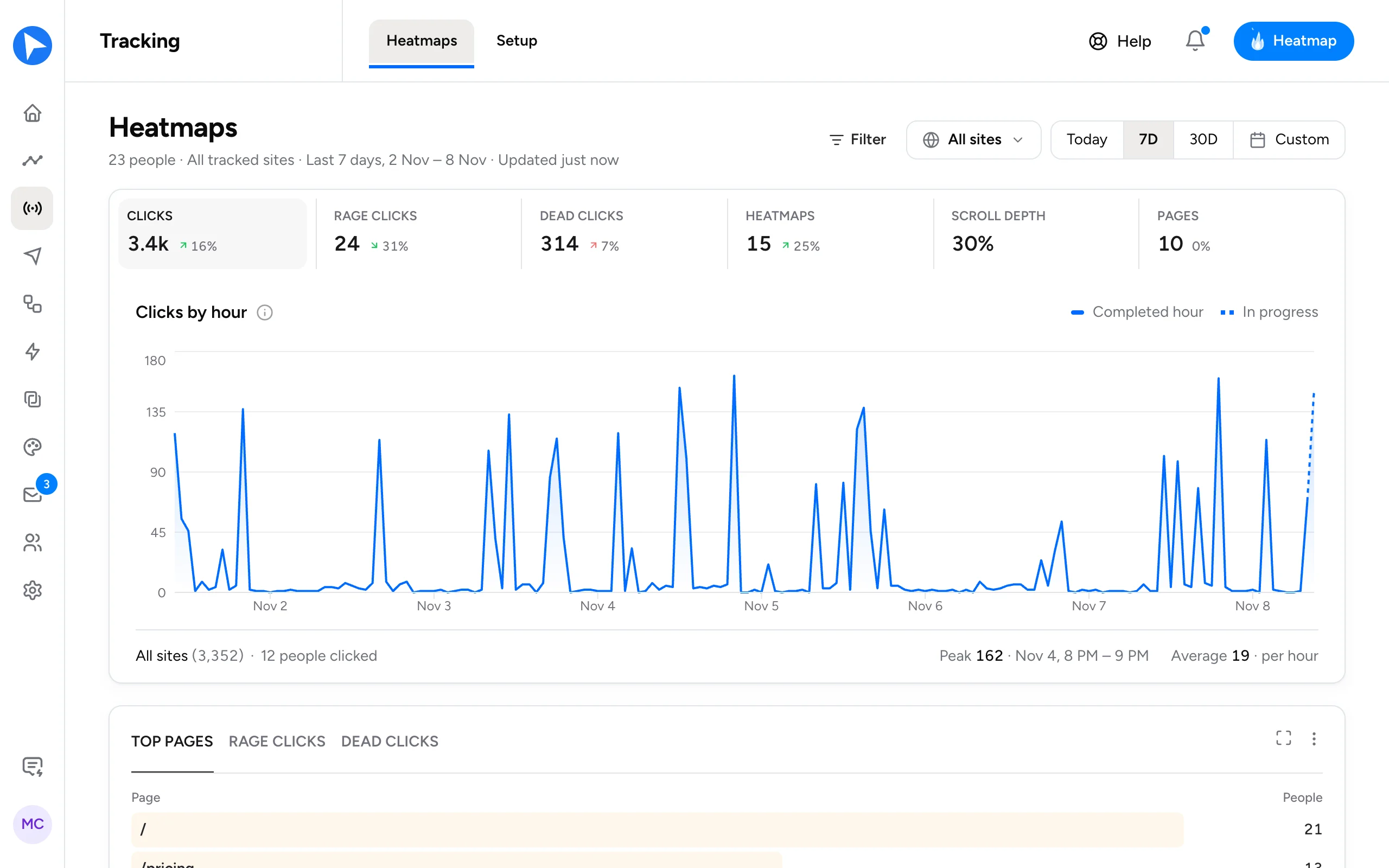
The snippet records the element clicked and where on it the click landed. What someone types in a field is never sent with a click, and password and card fields are never read.
Let the agent do the first pass
Ask Behavly Agent “what frustrates people on checkout?” and it reads that page’s heatmap as numbers:
- the most-clicked elements, with their share of all clicks,
- where people rage-clicked,
- clicks that did nothing,
- clicks by device,
- and how far down the page people scroll.
Ask it for one person by email and it reads that person’s activity on the page alone. Ask “who got stuck this week?” and it lists the signed-in people who rage-clicked or dead-clicked in the period, with the pages they were on. To see it painted, open the map from Heatmaps on your live site.
A worked example
- 1Insights shows rage clicks up on the week. You ask Behavly Agent which page they are on.
- 2It names the import page and the element: most rage clicks land on Upload, nearly all of them on phones.
- 3You open the Rage clicks layer for one of those people, with Device set to phones, and see the button never shows it is working.
- 4You fix the button, and ask Behavly Agent for the people who rage-clicked on it this week and never finished an import.
- 5It answers with a pattern, its rules and the exact count. You save it and ask for a follow-up.
Fix the page, then help the people
A rage click is a bug report nobody filed. The page fix helps everyone who comes next. The people who already hit it are worth a note too, and because they are signed in, Behavly knows who they are and what they were trying to do.
Behavly also finds a Hit friction pattern on its own. A campaign from it, or from a pattern you describe, writes each person an email from what they did:
Subject: That upload button
Hi Priya,
You tried to upload a file from your phone yesterday and the button didn’t respond. That was on us, and it’s fixed now.
If you still have the file handy, it should go through in one try. And if anything else gets in the way, just reply here.
Ardit
Written for one person from their own clicks. Preview shows it exactly as it would send, before anything goes out.
Where this fits
Rage and dead clicks are one of the clearest inputs to agentic analytics: a signal an agent can find, explain and act on. To see where they hurt your signups, pair them with AI funnel analysis. For the heatmaps themselves, see Heatmaps that show where each person got stuck.