 Behavly
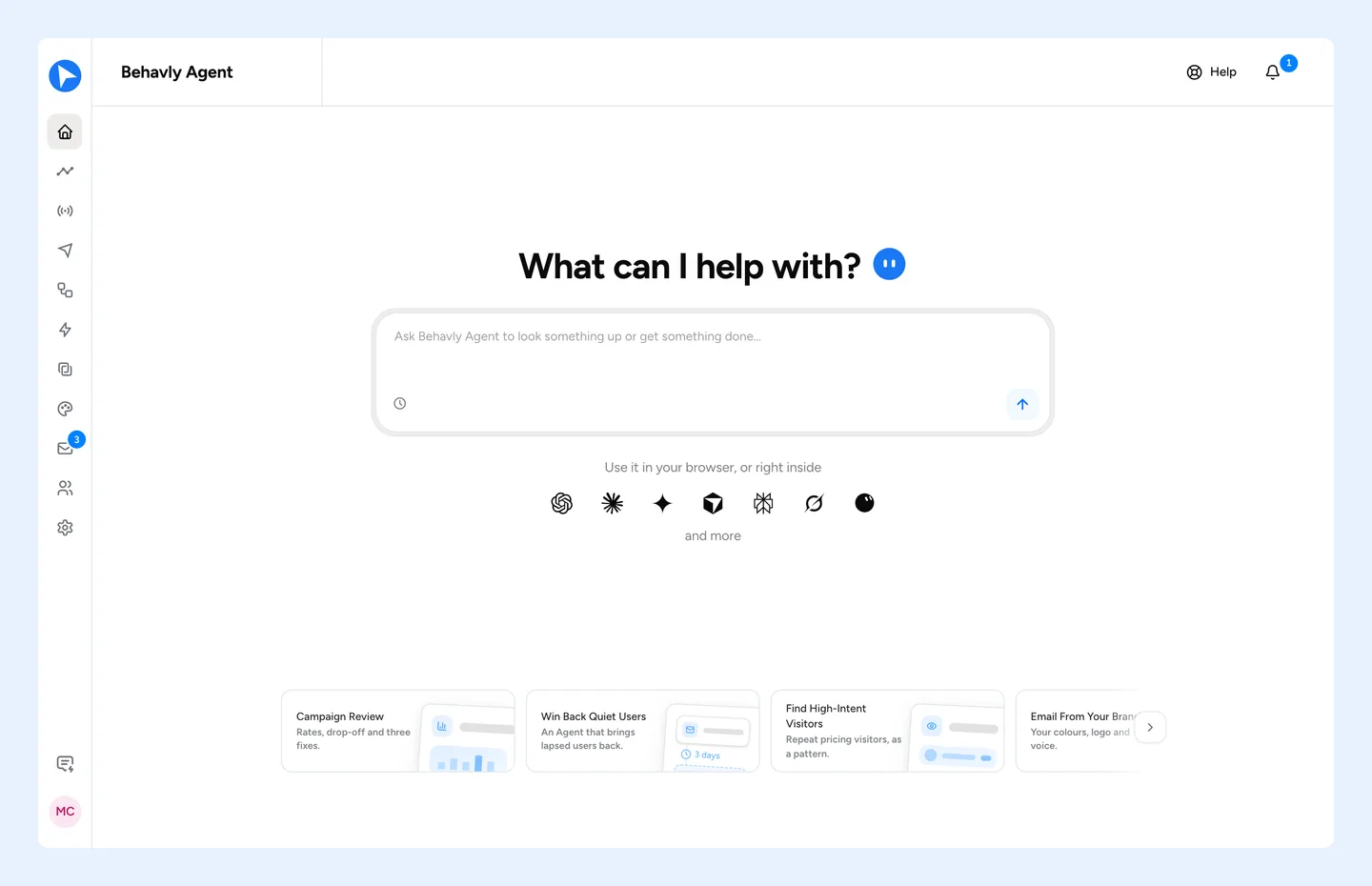
Behavly Agent is the chat built into Behavly. Ask in your own words and it does the work in your workspace: it builds a campaign, finds a pattern, drafts a reply, reports how a campaign is performing, or explains how any part of Behavly works. Open it from Home, or beside the Inbox and Heatmaps.
What It Reads
The same workspace you see in Behavly: campaigns and their results, contacts and leads, patterns, the Inbox, templates, Insights, email accounts and settings. It looks things up at the moment a question needs them, so every figure it gives comes from your workspace as it is now. When a lookup finds nothing, it says so.
- One workspace
- It works only in the workspace you have open. To work in another, switch workspace from the profile menu and start a new chat.
- Your role
- It acts with your role's access. On a view-only role, lookups work and changes are refused.
- Your plan
- The chat itself is unlimited on every plan, Free included. What it does for you counts exactly as it does everywhere in Behavly: an email it writes is a personalized email, a contact it adds is a tracked contact. When one is reached, it names the limit and links to the upgrade.
How It Makes A Change
Asking never changes anything on its own. When a request would create, change, delete or send something, Behavly Agent shows a confirmation card with exactly what will happen and which plan allowances it uses. It runs only when you choose Confirm. A card left unanswered for 30 minutes expires.
Every change made this way is recorded in Settings → Account → Audit Logs, marked via Behavly Agent.
What It Never Does
- It never asks for or accepts a password, an API key or a card number. Connecting a mailbox and paying for a plan happen on their own screens, and it gives you the link.
- It treats what it reads as information, never as instructions. A reply from a stranger or a contact's name cannot tell it what to do.
- It stays on Behavly and the email work you do in it.
AI Controls
Behavly Agent uses AI, so it follows your workspace's AI settings. When AI is turned off in Settings → Account → AI & Privacy, Behavly Agent is off too, and each conversation is recorded in the AI access log on the same page.
In Your AI Apps
Claude, ChatGPT, Gemini and other AI apps that support MCP can connect to Behavly and use the same actions, with your role and your plan's limits. Deleting something or sending email to real people still waits for your approval in Behavly. See Connect AI Apps And Other Tools.
Behavly Agent, the chat, is not a campaign. Campaigns that follow up on their own, from a group or from a trigger, are covered in Create A Campaign.