
Limits come in two shapes, and they behave differently.
Count Limits — Checked Live
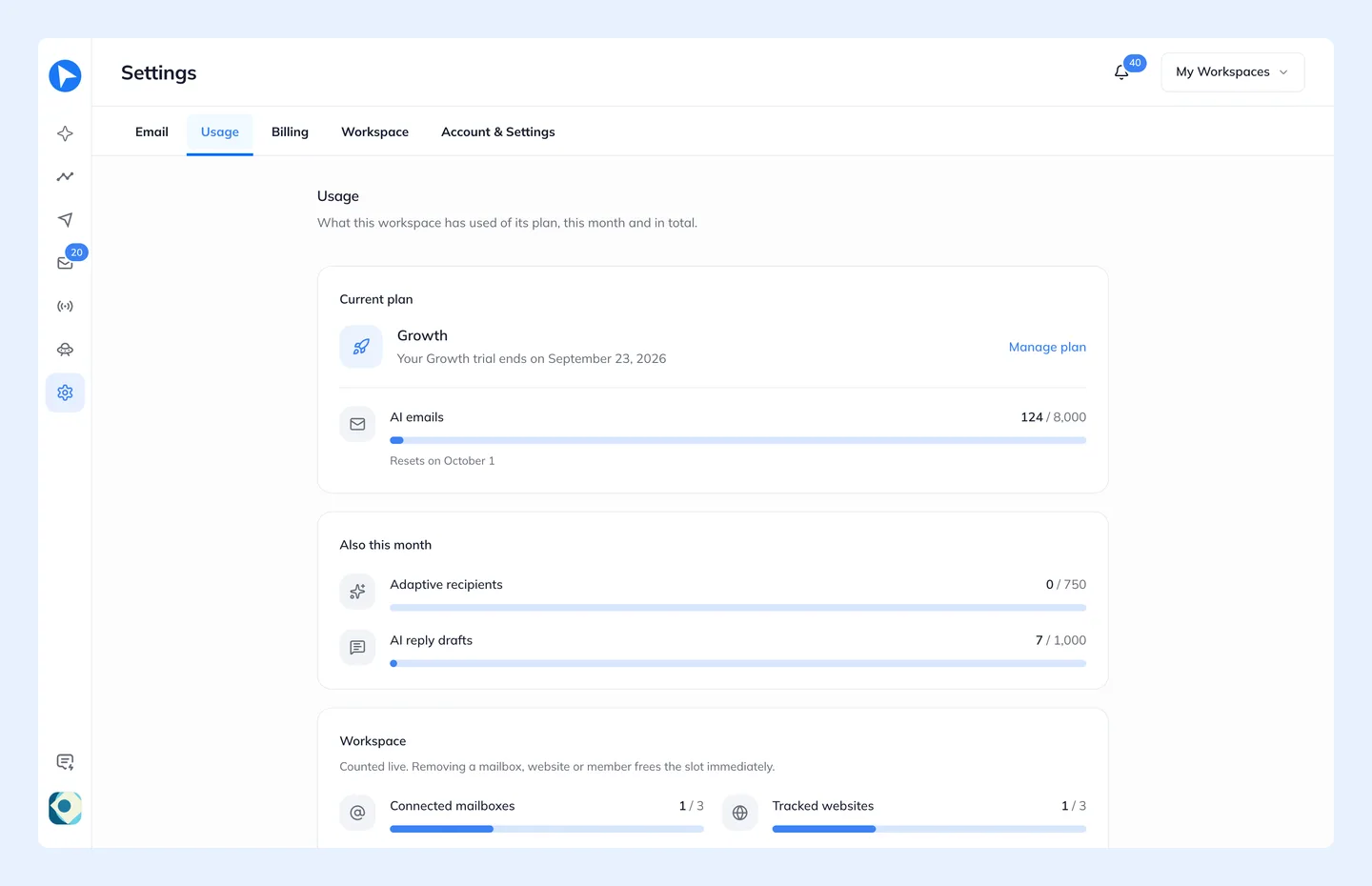
Connected mailboxes, tracked websites, tracked contacts and team seats are checked against your current total. Removing a mailbox, website or teammate frees its place immediately, and so does deleting a contact you added by hand or imported. People identified on your website stay counted while that website is tracked, because they would be identified again the next time they log in.
Monthly Limits — They Reset
Personalized emails, AI email designs, anonymous pageviews and product events are counted per window and reset when it turns over.
A personalized email is one email Behavly writes or personalizes for one person. Each AI reply draft in the Unibox counts as one personalized email. Templates sent exactly as you designed them are template emails: they are not counted, and every plan sends as many as you like.
An AI email design is one use of Generate from Brand in the template editor, where Behavly designs a whole email from your brand. It counts once when the design arrives; a generation that fails is not counted. Plain-text templates and designs you build yourself never count.
The Behavly Agent chat is unlimited on every plan, Free included: ask it as much as you like. What it does for you still counts like anything else, so an email it writes is a personalized email.
An anonymous pageview is one page load by an anonymous visitor, someone your snippet has not identified yet. People you have identified are never counted as anonymous pageviews (they count as tracked contacts) and are always tracked, so campaigns keep running. Past the month's anonymous pageviews, anonymous visitors are not recorded until the window resets.
A product event is one event your product's backend sends Behavly through the API, such as a failed payment. A repeated event with the same idempotency_key and a test event sent from a trigger's page are not counted, and neither are events from your website snippet. See Start A Campaign From A Trigger.
The window is your billing period on a paid plan, and the UTC calendar month on Free. On a subscription that renewed on the 12th, your personalized email allowance resets on the 12th — not on the 1st.
Retention Is A Ceiling, Not A Consumption
Your plan's retention figure is the longest window you are allowed to configure, not an amount you use up.
Everything above is shown against your current plan in Settings → Usage.