 Behavly
From insight to action: agentic analytics meets lifecycle email
Analytics tools tell you who stalled. Email tools send them a template. In between sit an export, a rebuilt segment and one email for everyone. Here is what happens when the same agent that found the people also builds the follow-up, and writes each email from what that person did.
Most SaaS teams run analytics in one tool and lifecycle email in another. The analytics tool finds the people who signed up and never came back. Then someone exports them, rebuilds the segment in the email tool, writes one email for all of them, and hopes the list is still right by the time it sends.
Behavly is agentic analytics and lifecycle email in one product. The agent that answers your question about users is the same one that builds the follow-up for them, and every email it writes starts from what that one person did.
The gap between knowing and doing
| Step | Two separate tools | Behavly |
|---|---|---|
Find who stalled | A report in the analytics tool | Ask Behavly Agent in plain words |
Turn them into a group | Export a list | A pattern, stored as a rule, that keeps finding new people |
Get the group into email | Import it, or sync it and map the fields | Already there: same snippet, same people |
Write the email | One template for everyone | Each email written for one person from their activity |
Know what happened | Back to the analytics tool | Results and the sender’s history beside each reply |
The loop, step by step
1. Understand
One snippet records every visit and recognizes who is signed in. Ask Behavly Agent what happened: where signups drop off, who got stuck, how many users went quiet. It answers from your workspace as it is now. See Agentic analytics examples.
2. Find the people
Ask for the group you mean, “signed up this week and never created a project”, and it answers with a pattern: the rules in plain words and the exact count, before anything is saved. A saved pattern is a rule, so an always-on campaign takes in each new person who matches. See Find user behavior patterns with AI.
3. Build the follow-up
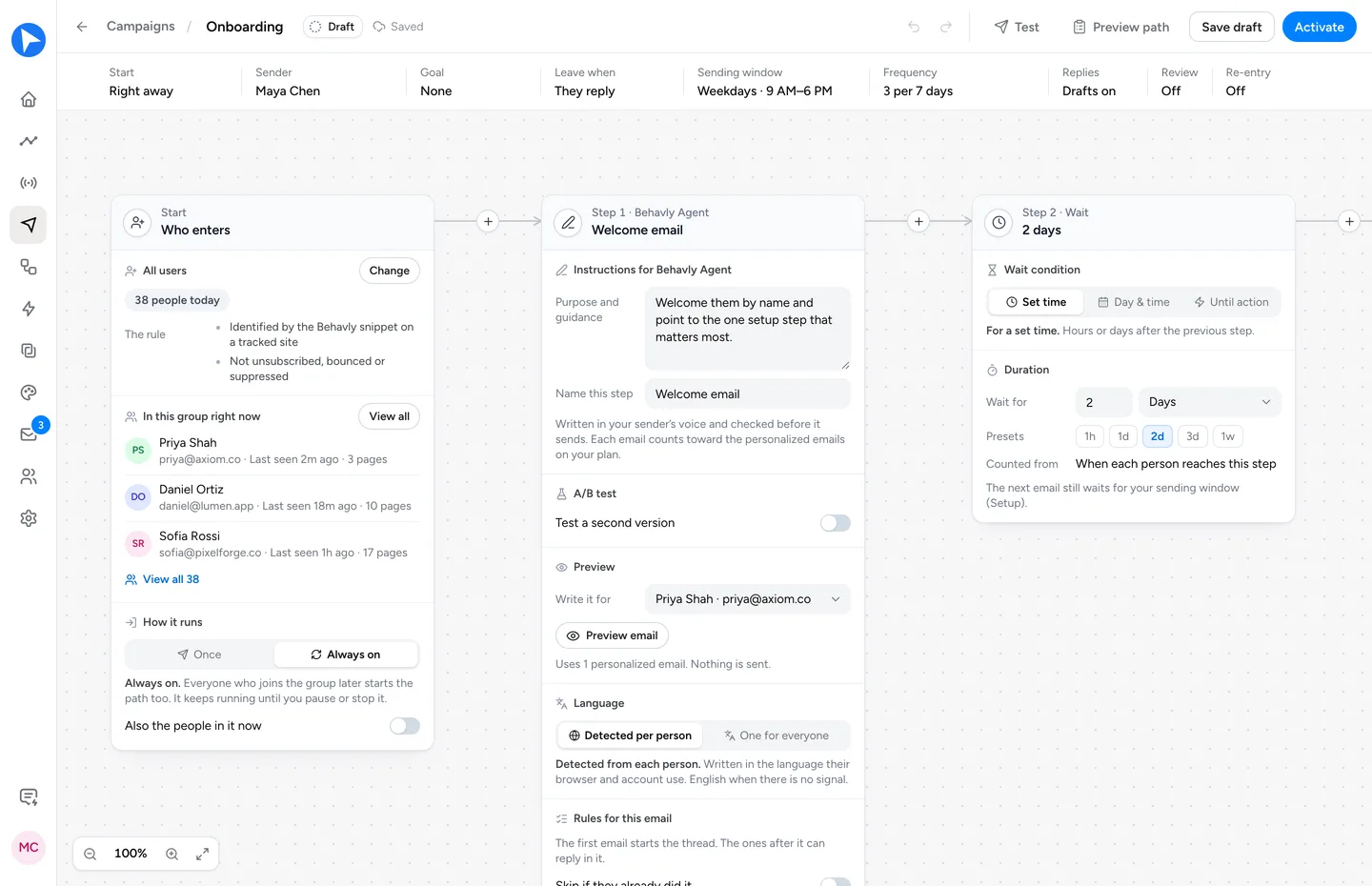
Ask for a campaign for them. Or open a new campaign and Describe the path: say who it is for and what each email should do, and Behavly lays out the emails, waits and branches for you to check. Waits can end the moment someone opens, clicks, visits a page or uses your product. A change made from the chat runs only after you choose Confirm.
4. Write each email for one person
An email step can send a template you designed, with your brand from Generate from Brand, or an email Behavly writes for each person as it sends, from what they did and the emails before it, in your voice. Preview writes any step for a real person exactly as it would send, and sends nothing.
Subject: Your first project
Hi Leo,
You signed up on Monday and had a good look at the templates, but didn’t start a project yet.
The quickest way in is the Client onboarding template you opened twice: pick it, change the name, and you have a working project in about a minute.
If something stopped you, reply and tell me what. I read every one.
Ardit
Written for one person from their own activity: when they signed up, what they looked at, and what they didn’t do yet.
5. Send, read the replies, improve
Nothing sends until you activate the campaign. Emails go out from your own mailbox, or through a service such as Amazon SES, Postmark or Resend. Every reply arrives in the Inbox with the sender’s history on your site beside it, and Behavly can draft the answer for you to check and send. Every Monday, Path review suggests what to change from the results, and makes the change when you approve it.
Why one product beats two connected ones
- No list goes stale. The people a campaign writes to are found by the same rule, from the same data, at the moment they enter.
- Nothing gets lost in a sync. The email is written from what the person did, not from the handful of fields that made it through an integration.
- One question can end in a sent email. You ask, the agent finds the people, builds the path, and you confirm. No export, no import, no second login.
- Results come back to the same place. Ask how the campaign did, and the answer sits next to the analytics that started it.
Starting from an event instead of a pattern
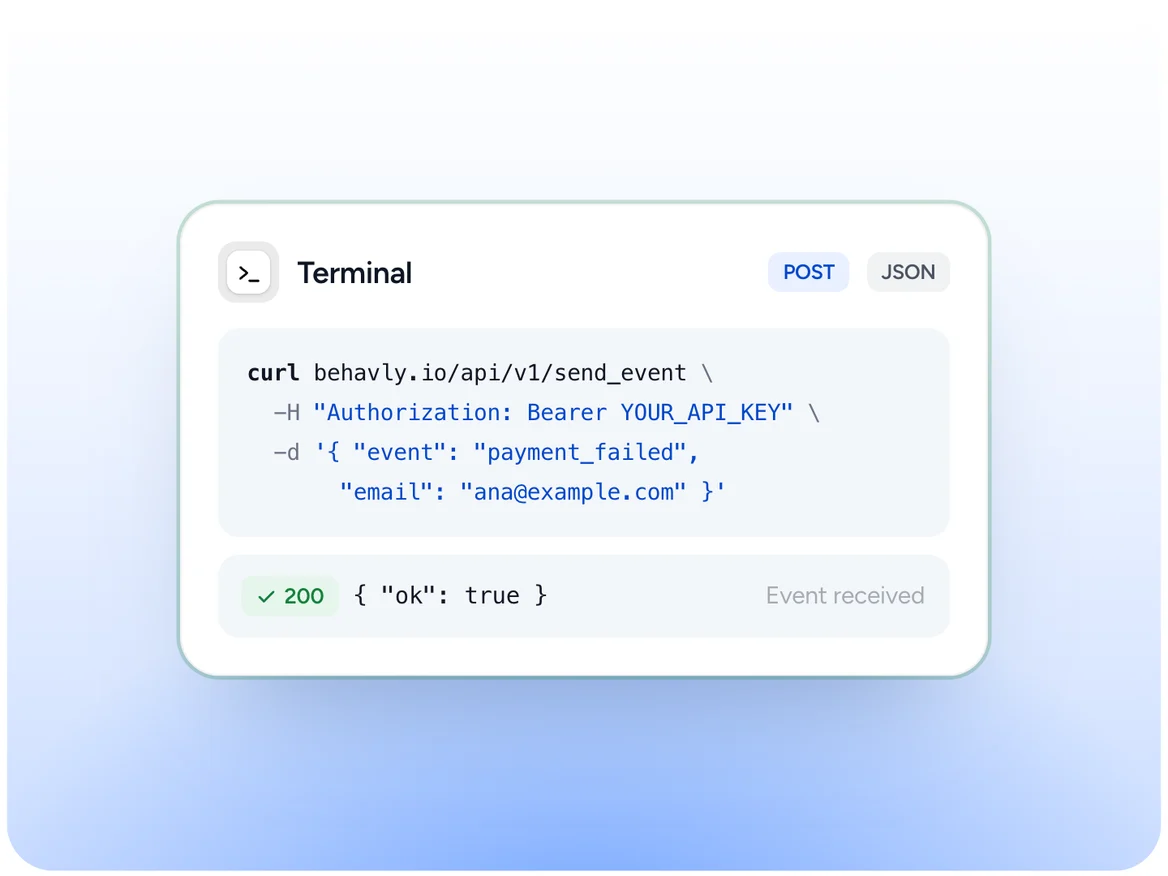
Some moments come from your product, not from a page: a failed payment, an ending trial, a finished export. Your server sends Behavly the event, and a Trigger Campaign takes that person in the moment it arrives. The emails on it are still written from what the person did on your site. See Trigger Campaigns.
Where to go next
New to the idea? Start with What is agentic analytics? For the email side in depth, read Agentic email marketing. To run the whole loop from Claude or ChatGPT, see Agentic analytics over MCP.