 Behavly
AI website analytics: ask who visited, from where, and what they did
Website analytics with an AI agent on top: ask in plain words who came, where they came from, which pages worked and who signed in, and get the numbers and the people. Here is what an agent can read about your visitors, and what it does next.
AI website analytics means asking an agent about your visitors instead of hunting through reports. “Where did this week’s visitors come from?” “Which pages are people leaving from?” “Who signed in after reading the pricing page?” The agent reads your site’s data at that moment and answers with the numbers, and with the people when they are signed in.
“Agentic web analytics” is also used for measuring AI agents and bots that visit your site. This post is about the other meaning: an AI agent that analyzes your human visitors for you. In Behavly, bot traffic is already left out of the numbers.
What an agent can read about your website
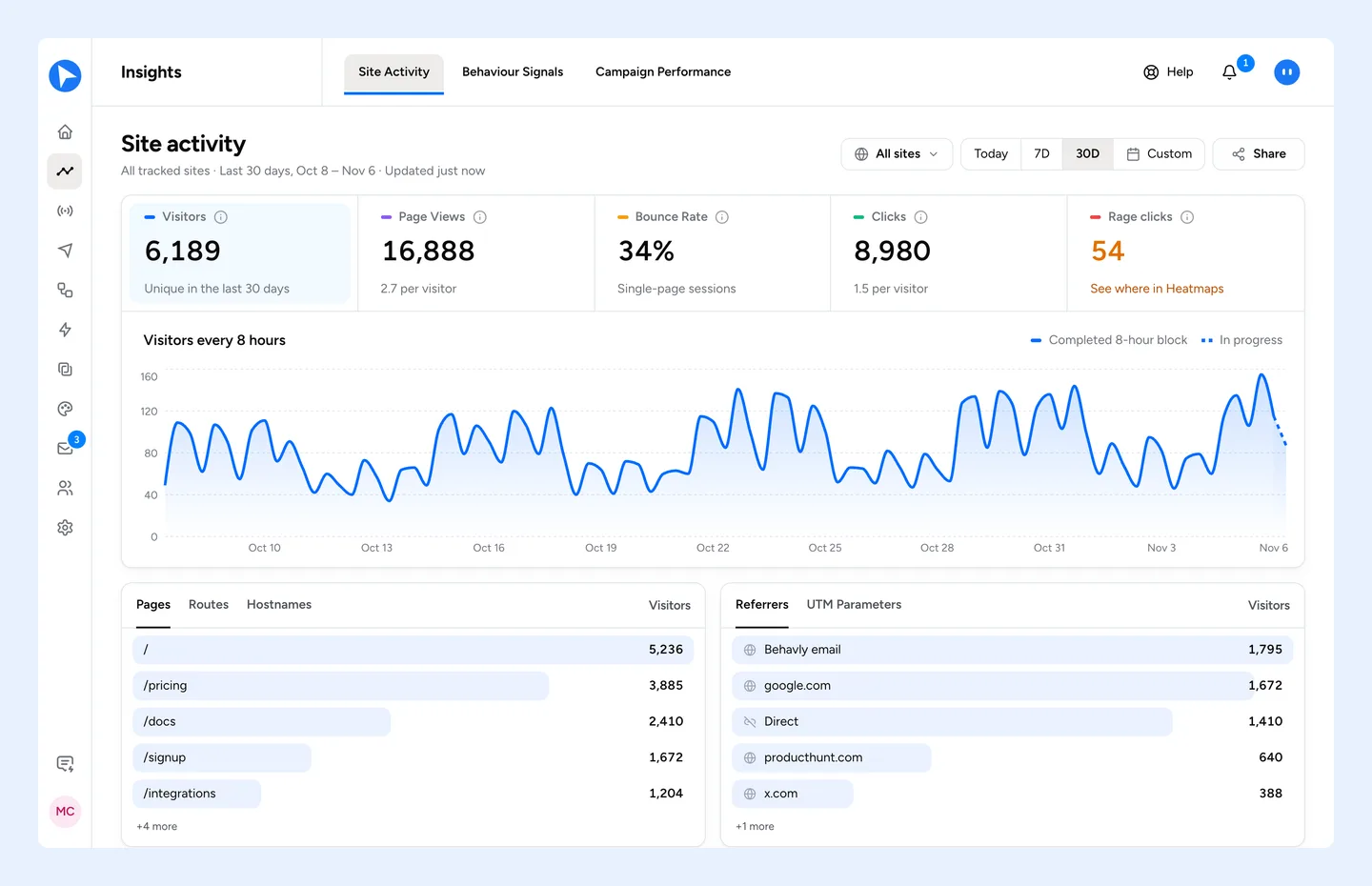
In Behavly, everything comes from one snippet on your site. Behavly Agent reads the same data you see in Insights → Site activity and Heatmaps:
- Traffic
- Unique visitors, visits, page views, views per visit, bounce rate and visit duration, each against the period before, with a trend.
- Sources
- Referrers, channels and UTM campaigns: where people came from.
- Pages
- The pages people saw, most visited first.
- Places and devices
- Countries, browsers, operating systems and devices.
- Clicks
- Clicks, rage clicks, dead clicks and form submits, and which pages people interact with most.
- Goals and funnels
- Visitors who reached a goal, and the signup funnel step by step with where people dropped off.
- People
- The signed-in visitors, one row per person across devices, and anonymous visitors, one row per browser.
Questions to ask about your visitors
| You ask | Behavly Agent reads |
|---|---|
What did people do on my site this week? | Site behavior for the last 7 days: visitors, visits, page views, clicks, rage clicks, bounce rate, top pages and a trend |
Where did this month’s visitors come from? | Referrers, countries, devices and UTM campaigns for the month |
How is the docs site doing compared to the main site? | Each tracked site’s activity for the period |
Which pages do people interact with most? | Pages ranked by clicks, then movement, then scrolling |
Where do signups drop off? | The signup funnel: visitors, engaged, saw signup, started the form, submitted, newly identified |
Who visited pricing this week? | Identified users who saw the page, one row per person |
Ask for a chart and it draws one in the chat. For twelve worked questions with the step after each, see Agentic analytics examples.
Visitors you can name, and visitors you can’t
Most website analytics stops at sessions. Behavly recognizes who is signed in without an identify call, so a visitor who logs in becomes a person: one row with the activity from every device they used. Ask “who visited pricing this week” and you get names, not a percentage.
Visitors who never signed in are anonymous: one row per browser, since there is nothing to merge them on. They answer how much traffic you have not identified yet. Anonymous visitors are a paid-plan feature from Starter up; the people you have identified are always tracked on every plan.
What happens after the answer
An answer about your website is most useful when it leads somewhere. In Behavly it can:
- Open the heatmap of the page in question, painted on your live site, to see where people clicked, rage-clicked and stopped scrolling. See Rage clicks and dead clicks.
- Become a goal or a funnel in Insights, applied to your past data as soon as you add it. See AI funnel analysis.
- Become a pattern, the people who did something in common, which a campaign can start from. See Find user behavior patterns with AI.
- Become a follow-up, written for each signed-in person from what they did, after you confirm. See From insight to action.
Privacy, built into the snippet
The Behavly snippet sets no cookies. Country is derived at the edge and the IP address is discarded rather than stored. What someone types in a field is never sent with a click, hover or view, and password and card fields are never read. Before anything reaches an AI model, Pseudonymize replaces identifiers such as emails with tokens, or Strict sends only numbers, dates and aggregates.
Set it up
- 1In Tracking → Setup, press Add Website and enter your domain.
- 2Paste the snippet once in your root layout, on your marketing site and your signed-in pages.
- 3Press Test script and wait for Tested.
- 4Open Behavly Agent and ask what people did on your site this week.