
Audience holds four lists with live counts in the rail.
- Contacts
- Only people who signed up: the snippet saw them signed in on your site. Nobody can be added or imported here, and emailing a lead or an audience never moves anyone to Contacts. The main table shows emails sent, opens, page views, last seen and last sent per person.
- Leads
- Everyone else you can email who has never signed in: people who came in through one of your forms, people known only from clicking a link in one of your emails, and people you added or imported. A lead becomes a contact when they sign up. See Contacts vs Leads.
- Bounces
- Addresses that failed to deliver. Suppressed from future sends automatically.
- Unsubscribes
- People who opted out. Suppressed permanently.
Bounces and unsubscribes are suppressed on every plan, including Free. Nothing a customer needs in order to stay compliant is behind an upgrade.
Where The Activity Columns Come From
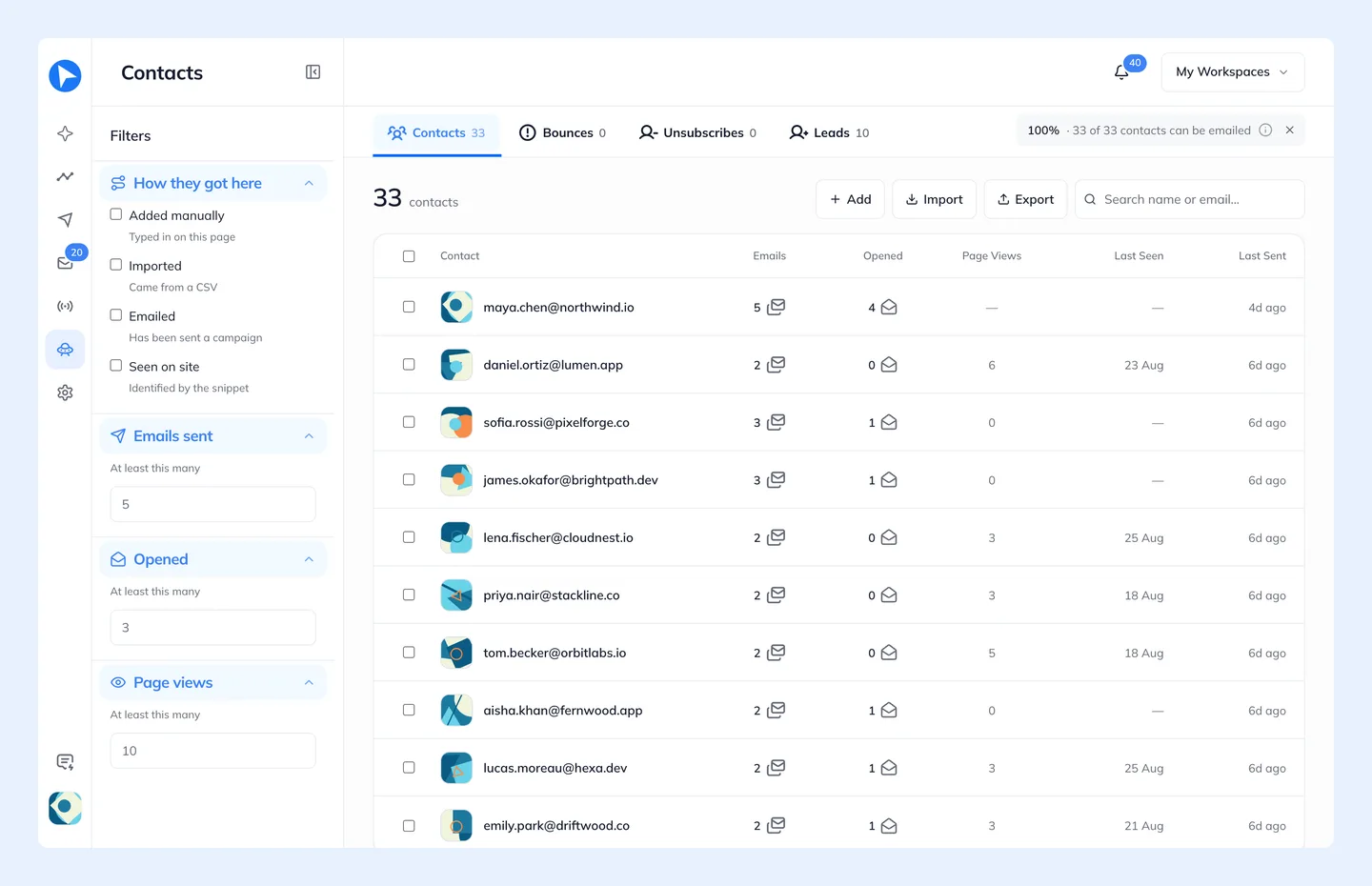
Page views and last-seen come from the tracking snippet.
A person is on one tab only, because each group can be followed up by its own campaign. The first that fits wins: Bounces, Unsubscribes, Contacts, a custom audience, Leads. Someone who bounces or unsubscribes leaves the tab they were on, someone who signs up moves to Contacts (and out of their custom audience), and a lead added to a custom audience leaves Leads. Bounces and Unsubscribes say which group each address was in. Take someone off Bounces or Unsubscribes and they are back in that group.