
Behavly never sends from its own servers under your name. Every email goes out through your mailbox, or through your own account at an email service.
Connecting
Settings → Email → Connect offers two choices:
- IMAP / SMTP mailbox
- Your own mailbox, signed in with a password over IMAP and SMTP: Gmail, Zoho and custom hosts. Behavly sends through it and reads replies back from it into your Behavly Inbox.
- Email service
- An account at a sending service, connected with its API key. Behavly checks the key and your sending setup, sends you a test email, and, where the key allows it, sets up the service's bounce and spam-complaint reports to Behavly.
One-click Google sign-in is not currently offered. Connect Gmail as an IMAP/SMTP mailbox with an app password rather than your normal password.
Outlook and Microsoft 365. Outlook.com and Hotmail addresses can't connect: Microsoft no longer accepts a password for them. A Microsoft 365 mailbox can send only if your admin turns on SMTP AUTH, and its replies won't sync to your Behavly Inbox.
Email Services
Eight services connect, each with its own key. The connect screen for each says what to create in the service first, such as a key with full access so Behavly can add its bounce report, or a verified sending domain.
| Service | Connects with |
|---|---|
Resend | An API key |
Amazon SES | Access keys, and the AWS region you send from |
Postmark | A server token |
SendGrid | An API key |
Mailgun | An API key and your sending domain |
Brevo | An API key |
Mailchimp Transactional (formerly Mandrill) | An API key |
MailerSend | An API token |
Where Replies Go
Replies to a mailbox connected over IMAP/SMTP are polled back into your Inbox, with the sender's site history attached.
An email service only sends; it has no inbox for Behavly to read. Replies to emails sent through one go to the sending address, or to the Reply-To set on the mailbox, and are not read into your Behavly Inbox. A path's replied branch and its They reply exit can't see them, so where replies should decide what happens next, send from an IMAP/SMTP mailbox.
Managing Accounts
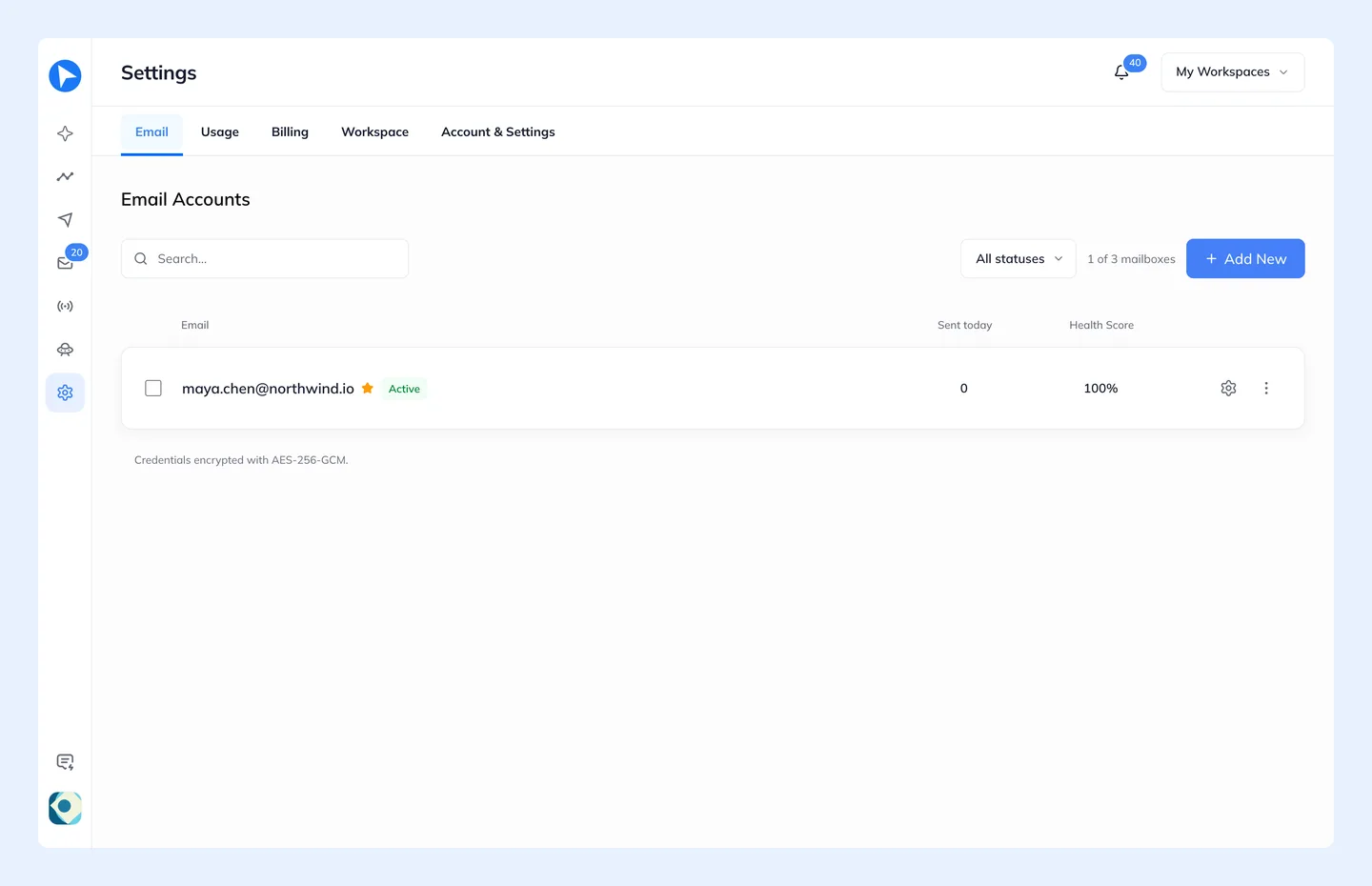
Connected accounts can be paused, labelled and marked primary. Pausing stops a mailbox being used for sending without disconnecting it.
The Bounce Limit
Behavly pauses a mailbox itself before your provider suspends it. Open a mailbox in Settings → Email and set its Bounce limit: how many bounces in 24 hours pause it. The default is 5. It also pauses when at least two people mark its emails as spam within 24 hours and they make up 0.3% or more of what it sent.
A paused mailbox stops sending, shows Paused: too many bounces in the list, and raises a notification. Clean the list, then turn the mailbox back on; counting starts again from that moment.
How Many You Can Connect
Mailbox count is a plan limit, and an email service counts as one mailbox. Sending across several mailboxes in rotation is a separate, higher-plan feature — having three connected does not by itself rotate between them.
Disconnecting a sending account is recorded in your audit log and raises a notification. Campaigns depending on it cannot send, and the Inbox stops receiving replies for it.