
SaaS onboarding email sequence: what to send, based on what users actually do
Which onboarding emails to send new SaaS users, when to send each one, and how to let setup progress decide the sequence. With example emails to copy.
Updated October 10, 2026
A SaaS onboarding email sequence is a short series of emails that takes each new user from signup to the first time your product does its job for them, with every email chosen by which setup step that person has or hasn’t finished. The trigger is what separates it from a welcome drip. A drip sends email three on day three whatever happened; a behavior-based sequence sends the email about inviting teammates only to someone who created a project and stopped there. That matters because the first days after signup are when people decide whether your product is worth the effort of setting up, and an email about a step they already finished tells them nobody is paying attention.
Start with the activation event, not the emails
Before writing anything, name the one action after which a new user is getting real value. It should be something your product can observe, and it usually comes later than “completed the setup wizard”. For a scheduling app it might be the first meeting booked through a shared link; for an analytics tool, the first report built on live data; for an invoicing tool, the first invoice paid.
If you aren’t sure what yours is, compare two groups of past signups: people still active after two months, and people who left in the first few weeks. Look at what the first group did in their first week that the second group didn’t. The action that keeps showing up on one side and rarely on the other is your candidate.
Then list the two to four steps that stand between signup and that action. Your sequence is a set of emails, one per step, each sent only to people stuck before it. That is the whole design. Everything else on this page is timing and wording.
Which user behavior to watch during onboarding
Two kinds of data feed an onboarding sequence. Page views tell you where someone went: which setup screens they reached, which help articles they opened, whether they came back the next day. Product events tell you what actually happened: calendar_connected, project_created, invite_sent, recorded by your app when the action succeeds. You need both, because a visit to the integrations page is not a connected integration.
| What the user did | What it usually means | What to send |
|---|---|---|
| Signed up, never returned after the first session | The first visit didn’t get far enough to show the product working | One email with the fastest step to value, linked straight to the screen where it happens |
| Finished step one, not step two | Willing, but interrupted or stuck | An email about step two only, saying what step one already gave them |
| Opened the help article for a setup step | Tried, and hit a question | A shorter path, a template, or an offer to do it together |
| Came back to the same setup screen several times | Stuck on that screen specifically | Help with that one screen, from a person they can reply to |
| Created something, never shared it or invited anyone | Getting value alone; the product hasn’t reached their team | Why sharing helps them, with the invite or share link |
| Visited pricing before finishing setup | Weighing the cost before seeing the value | No pitch; help them reach the point that justifies the price |
| Reached the activation event | Onboarding is done | Nothing more from this sequence; move them on to feature adoption emails |
When to send each onboarding email
Timing in a behavior-based sequence runs on the user’s clock. The question is never “is it day three?” but “has this person had a fair chance to do the step on their own?”
- The welcome email
- Send it right after signup only if it does a job: one line on what to do first and a link to that exact screen. A welcome that says hello and lists features wastes the moment someone is paying the most attention.
- Stall emails
- Wait long enough for someone to finish the step without help, then write. For a tool people use daily, a day without progress is a real signal. For one used weekly, give it three or four days. If they finish the step during the wait, the email never sends.
- Offers of help
- When someone has come back several times without finishing, another reminder won’t help; they need an answer. Send a short note from a person offering to do the step with them.
- The pace
- One onboarding email a day at most. When someone is stuck at several steps, write about the earliest. Two emails in one afternoon reads as automation, however well each one is written.
- The end
- Stop at activation, or after about two weeks without progress. Past that point the person isn’t onboarding any more and the approach has to change: see users who never activated.
A sequence shape that fits most products
- 1Signup. Wait until they finish step one, for up to a day.
- 2Not done: send the email about step one. Done: go straight to the next check.
- 3Wait until they finish step two, for up to two days. Not done: send the email about step two, naming what step one already gave them.
- 4Watch for the activation event over the next three days. Reached it: end the sequence. Not yet: send one offer of help from a person, then stop.
That is three emails at most, and someone who sets everything up in their first session gets none. That’s correct. They don’t need them, and a sequence earns trust by staying out of the way of people who are doing fine.
Example onboarding emails
The examples below are for Northwind, a made-up scheduling app. Its activation event is the first meeting booked through a shared link, and its setup steps are connecting a calendar, creating a booking page and sharing the link. Each email is written for one person, about the step they’re on.
Subject: Your Northwind booking page is one step away
Hi Priya,
Your Google Calendar is connected, so Northwind already knows when you’re free. The last piece is a booking page: pick a meeting length and Northwind publishes a link that only ever shows your open slots.
Once it’s up, that link can replace the back-and-forth in your next “when works for you?” email.
Create your booking page: [link]
Sam
Subject: Where your booking link does the most work
Hi Marcus,
Your 30-minute intro page is live and hasn’t had a visitor yet, so here’s the quickest place for it: your email signature. Every reply you send then carries a way to book you on a slot that’s already free.
Northwind generates the signature line for Gmail and Outlook, link included.
Add it to your signature: [link]
Sam
Subject: Round-robin for your sales team
Hi Elena,
If you’re setting Northwind up for a team, round-robin is the piece that saves the most time: you invite teammates once, and each new booking goes to whoever is free, without anyone sharing their whole calendar.
Invite one teammate and Northwind builds a shared booking page for the two of you, ready to test.
Invite a teammate: [link]
Sam
Subject: Want to publish your booking page together?
Hi Tom,
Your booking page has your hours and two meeting types, so it’s nearly ready. Publishing is where the last questions come up: buffers between meetings, time zones, who gets the confirmation.
If one of those is the holdup, I’ll walk through it with you and we’ll publish the page before the call ends. It takes 15 minutes.
Pick a time: [link]
Sam
Notice what none of these include: a feature list, a logo banner, or “let us know if you have any questions.” Each one is a single step, written about where that person is.
Onboarding email mistakes to avoid
- One drip for everyone. The person who finished setup in ten minutes gets three emails explaining setup. Give every email a condition (“hasn’t done X”) and an exit (“stop when they do”).
- Teaching every feature. Onboarding has one destination. Tours of secondary features belong after activation, when there’s a reason to care.
- Surveillance detail. “You spent four minutes on the billing page” is unsettling. Refer to what someone made or connected, and to the topic of a page rather than the fact that they read it.
- Linking to the dashboard. Every link should land on the exact screen where the step happens, with as much already filled in as possible. A generic login link adds a step to a sequence meant to remove them.
- A no-reply sender. Replies are where you learn why setup stalls. Send from a named person, at an address they can answer.
- Pitching the paid plan too early. On a trial, the upgrade email lands better after activation than on day two. See trial-to-paid emails for how the two sequences fit together.
- Never stopping. Two weeks of silence means more onboarding emails won’t help. End the sequence and switch to a different approach.
How to run this in Behavly
Behavly tracks what each signed-in user does in your product, runs the follow-up path you describe, and writes every email from that person’s own activity. Here is the sequence above, set up end to end.
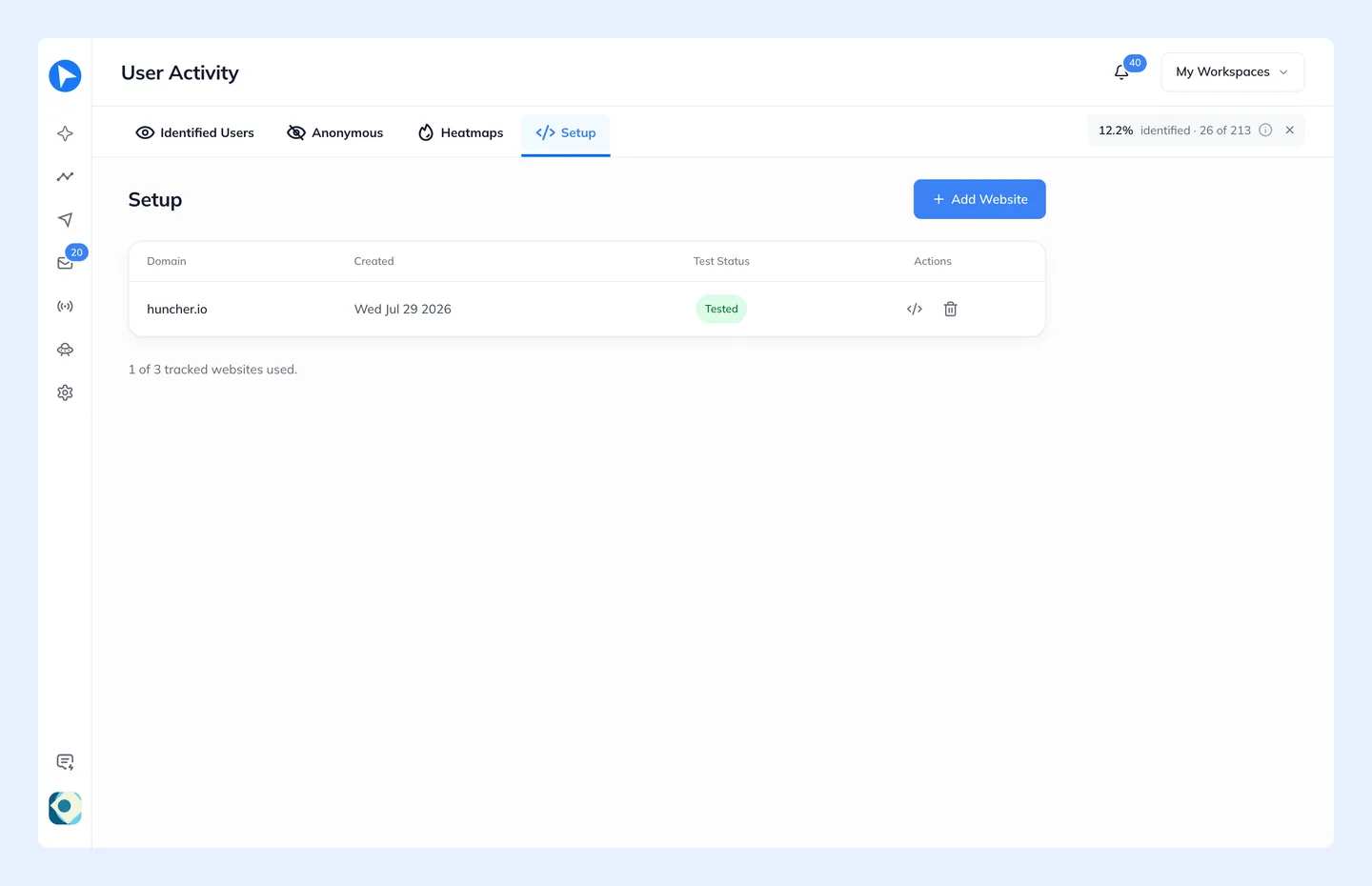
- 1Install the tracking snippet. In User Activity → Setup, add your domain and paste the script tag into the
<head>of your pages, including the signed-in app, which is where onboarding happens. There’s no identify call to wire up: the snippet recognizes the signed-in session and attaches page views, clicks and scroll depth to that person. - 2Send your setup steps as events. Record actions like
calendar_connectedorbooking_page_publishedwithbehavly.track, so the path can wait for what actually happened, not only for which pages someone visited. - 3Connect your mailbox in Settings → Email. Behavly sends over IMAP/SMTP from your own Gmail, Outlook, Zoho or custom address, and replies come back to the Inbox with the person’s activity beside them.
- 4Start a Behavly Agent. In Campaigns → New Campaign, choose Behavly-Agent campaign, then Use an example and pick Onboarding. Or describe the sequence in plain words at the top of Blocks and choose Build it; Behavly lays out the emails, waits and branches for you to check.
- 5Set who enters and when they leave. All users brings in newcomers as they arrive. Set your activation event as the Goal and turn on They reach the goal under Leave the path when, so activated users stop getting onboarding email. A reply ends the path by default.
- 6Shape the steps. Use Wait until they do something with But no longer than N days for each setup step, Branch on did an action in your product or logged in to your site, and turn on Skip if they already did it for each email. Each Plain text by Behavly Agent step takes a line of Instructions for Behavly Agent saying what the email is for, and Behavly writes it for each person from what they did.
- 7Read before anything sends. Preview writes any step for a real person in your audience, and Send the path to me delivers the whole path to your own inbox. Turn on Hold Behavly-written emails for approval in Setup and you approve the emails before they go out.
Behavly Agents start on the Starter plan. On the free plan you can send the same kind of email as a one-time campaign: pick one of the patterns Behavly detected in your tracking, or describe the group under Ask for a pattern, check who is in it and how many, and let Behavly write each email from that person’s activity.
Questions
- How many emails should a SaaS onboarding sequence have?
- One per setup step between signup and activation, which is usually three to five, and each person should only get the ones for steps they haven’t done. Someone who sets everything up in their first session needs one email or none.
- When should I send the first onboarding email?
- Send a welcome right after signup only if it links straight to the first step. Otherwise the first useful email is the one that goes out when a day passes without that step done.
- What is the difference between an onboarding drip and a behavior-based onboarding sequence?
- A drip sends the same emails on the same days to everyone. A behavior-based sequence sends each email only to people who haven’t done the step it’s about, and stops the moment they do.
- Should onboarding emails be plain text or designed?
- For emails about someone’s own setup, plain text from a named person fits better: it reads like a note from a colleague and invites a reply. Keep designed emails for announcements that go to everyone.