
Sessions the snippet recorded but could not attach to a person, because nobody was signed in.
They share the Tracking → Heatmaps table with identified users. To see only them, set Whose activity in the toolbar to Anonymous visitors.
One Row Is One Browser
Unlike an identified user, an anonymous row is one browser profile. The same human on a laptop and a phone is two rows, because there is nothing to merge them on.
What These Rows Are Actually For
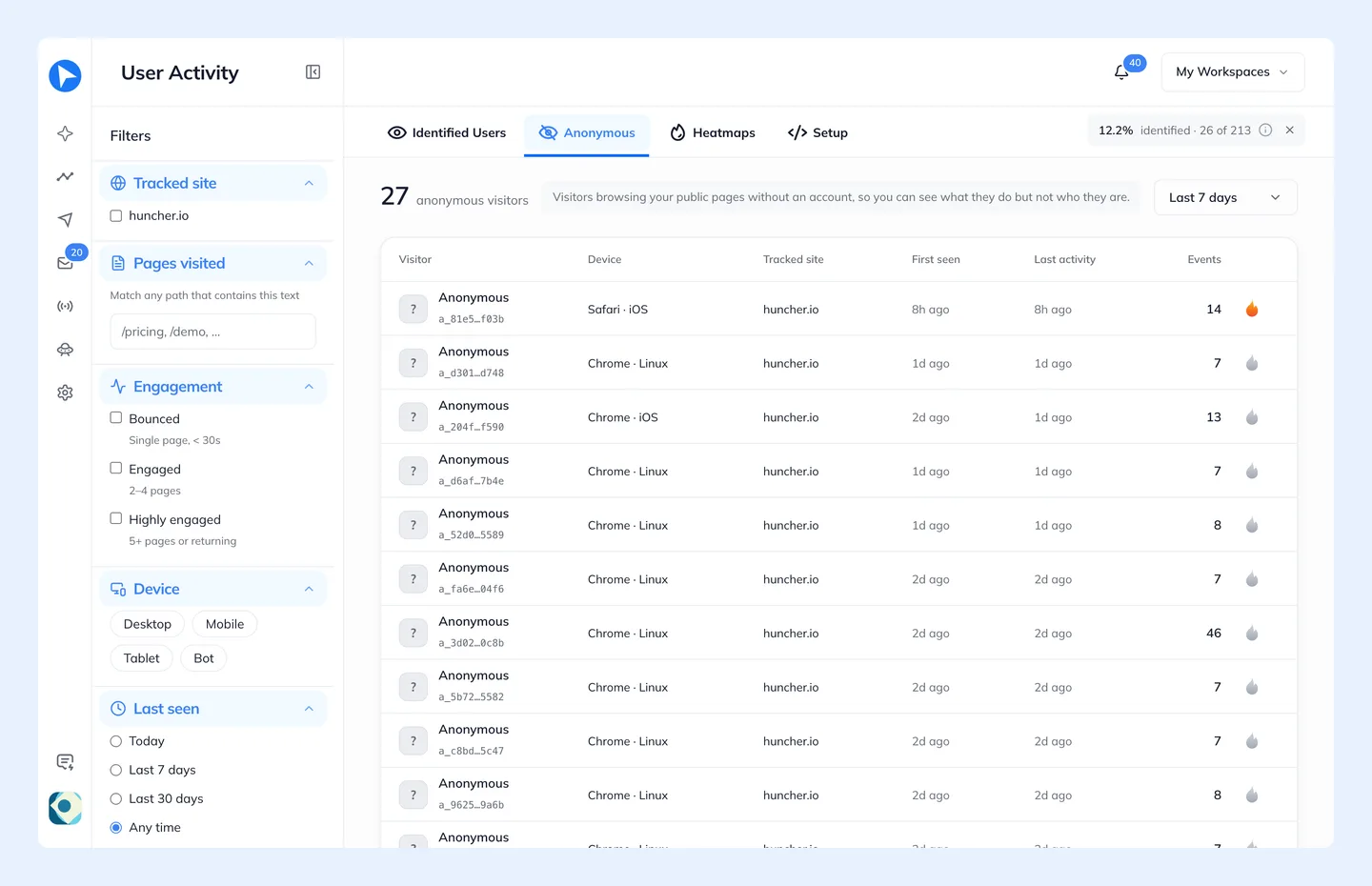
They answer *how much traffic have I not identified yet*. That makes them a diagnostic as much as a list: plenty of anonymous visitors next to no identified users usually means the snippet is on your marketing pages but not on your signed-in ones.
Anonymous visitors are a paid-plan feature, from Starter up. On Free the snippet keeps recording them, and the table shows them as blurred rows until you upgrade.
On every plan, anonymous visitors are recorded up to your plan's monthly pageviews. Only their page loads count: people you have identified are never counted as pageviews and are always tracked. Past that, anonymous visitors are not recorded until the month resets. See What Counts Against A Limit.