Behavly vs Userlist
Userlist sends the emails your team writes; Behavly writes each follow-up for one person from what they did in your product. Features and prices side by side.
By Ardit Karavidaj, Founder & CEO, FoundryX · Updated October 31, 2026 · Competitor details checked October 24, 2026 on each vendor’s own site
Userlist and Behavly are both built for SaaS teams that email their own users, and both send people down a path of emails, waits and branches. The difference is who does the writing and what the tool knows about each person. In Userlist, your team writes every message, and the workflow sends that same message to everyone who qualifies. In Behavly, an AI agent writes each email at send time for the one person receiving it, from what that person did in your product.
Behavly is our product. Every claim about Userlist below comes from userlist.com, read on October 24, 2026, and every claim about Behavly from its Help Center. Weighing more than these two? Our round-up of Userlist alternatives sets five more tools against it, and the full behavioral email tools roundup covers the category.
Why teams pick Behavly over Userlist
- Each Behavly Agent email is written for one person. Two people on the same step get different emails, each about what they did. On Userlist, your team writes one message per step and fills in fields like a first name.
- Nothing to plan before you start. One script tag records page views, clicks, pointer movement and scroll depth for each signed-in user, with no identify call and no event schema.
- Paths described in plain words. Say who the path is for and what each email should do, and Behavly lays out the emails, waits and branches.
- Every reader’s own language. Each email is written in the language of the person reading it, from 23, with no workflow per language.
- Sent from your own mailbox or email service. Emails come from your Gmail, Zoho or any IMAP/SMTP mailbox, or an email service such as Resend, Amazon SES or Postmark, and replies land next to everything the sender did on your site.
- A free plan. Try it on real users with no time limit; Userlist starts with a 14-day trial and a card up front.
Side by side
| Behavly | Userlist | |
|---|---|---|
Built around | The person: everything one signed-in user did, merged across their devices | Users and companies, with properties on the user, the company and the relationship between them |
Free plan | Yes: 100 tracked contacts and 50 personalized emails a month, no time limit | No. A 14-day trial with a card up front |
Entry price | $79/month (Starter, 2,500 tracked contacts) | $149/month billed monthly, or $119 billed yearly (Basic) |
Priced on | Tracked contacts, with a monthly allowance of personalized emails; template emails unlimited | Every user you send it, active or not, at the highest count in the past 30 days |
Who writes the emails | Behavly, for each person as the email sends; or your own template, sent exactly as designed | Your team, in a Markdown composer with snippets and Liquid. No AI writing is listed |
How data gets in | One script tag on your site and app, no identify call; product actions with behavly.track; events from your backend with send_event | Push API and server libraries, client-side tracking with a server-signed token, or a connected source such as Segment |
What it records | Page views, clicks, pointer movement and scroll depth for each signed-in user, plus the actions you send | The events and properties you send. Userlist advises tracking key events and leaving out page views and clicks. Basic allows 20 custom events |
Path logic | Waits and branches on opens, clicks, replies, logins, page visits and product actions; A/B tests on any email step, judged on the path’s goal | Conditions, splits, waits and goals. Split tests, conversion goals and advanced logic need Professional ($349/month) |
Business contacts | For a work address, Behavly reads the company’s public website and says the payoff in that company’s terms | Company accounts, segments and triggers |
Languages | Writes each email in the reader’s language, detected per person from 23 | No built-in localization; a workflow per language or Liquid conditions |
Sends from | Your own mailbox (Gmail, Zoho or any IMAP/SMTP host), or an email service such as Resend, Amazon SES or Postmark, connected by API key | Userlist’s servers: a shared userlistmail.com address with your domain as Reply-To, or your domain once DKIM is set up |
Replies | Land in Behavly’s inbox beside the sender’s site activity, with Reply with Behavly to draft an answer | Go to the Reply-To address on your sender profile |
Heatmaps | Yes, on every plan, for everyone or for one person | Not listed |
Built-in AI | Per-person email writing, plain-language audiences, paths built from a description, a weekly path review, reply drafts and email designs from your brand | None listed |
Getting started | Ask Behavly Agent in plain words and it builds the campaign with you | A 60-minute roadmapping session with their team |
How Userlist works
You send Userlist your users, your companies and the events that matter, either from your backend through its Push API and libraries, or through a source you already run, such as Segment or PostHog. Each user can belong to several companies, and the link between them carries its own properties, such as a role.
Workflows start from an event, a segment, a form, a condition or a schedule. Your team then chains emails and in-app messages with conditions, splits, waits and goals, and writes each message by hand, with Liquid for names and other fields. Messages go out from Userlist’s own sending infrastructure.
How Behavly works
You paste one script tag into your site and your signed-in app. Behavly recognizes who is signed in from the session, so there is no identify call to wire up, and it collects what each person does on a single profile across their laptop and phone. Product actions you care about can be added with behavly.track, and your backend can send events like a failed payment with send_event.
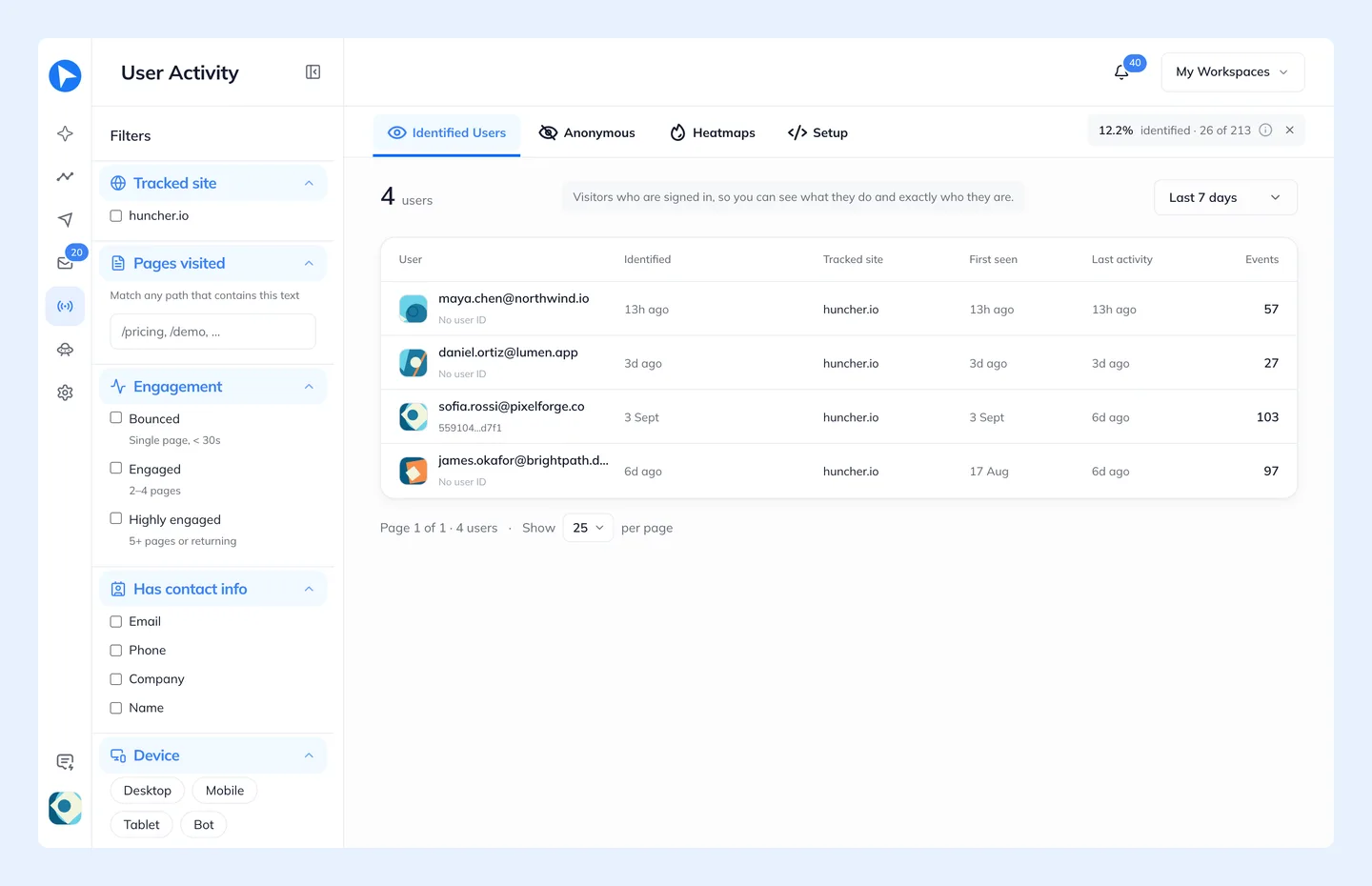
You then choose who to follow up with: a group Behavly found in that activity, or one you describe in plain words, with the matching people shown before you save it. You describe the path, and Behavly lays it out as emails, waits and branches. It can run once for everyone in the group, keep running for each person who joins, or start whenever your product sends an event.
The writing happens last. When a person reaches an email step, Behavly writes that email from what they did, knowing every earlier email on the path, and in their language. If you want to read each one first, Hold Behavly-written emails for approval keeps them in Review until you release them. Then they go out from your own mailbox.
Subject: Your Acme rollout board
Hi Priya,
You’ve built out the Q3 rollout board and added twelve tasks, but they’re all still assigned to you.
If Dan and Mei are doing some of that work, inviting them from the board’s Share button lets you hand tasks over and see their updates as they come in.
Invite your team: [link]
Tom
Written from Priya’s own activity. With Skip if they already did it on, someone who had already invited their team never gets this email.
Where Behavly is ahead
- Nobody has to write the emails. Userlist sends the message your team wrote. Behavly writes a new one for each person, so the email can mention the board they built or the import that stopped halfway.
- Detail without an event plan. Page views, clicks and scroll depth are exactly what Userlist suggests leaving out. Behavly collects them from one script tag, and a path can branch on the pages someone visited.
- Emails that know the path so far. Each email reads the earlier ones on the path and whether the person opened or clicked them, then says something new instead of repeating them.
- Personal sending. Emails come from a real mailbox, read like a note from a person, and replies arrive next to what the sender did.
- Heatmaps for each person. See where one user clicked, got stuck and stopped scrolling, in the same tool that writes to them.
- Lower entry price. Behavly is free for your first 100 tracked contacts and $79 a month up to 2,500, against Userlist’s $149 minimum.
What you pay for
Userlist bills every user you send it, whether they log in or not, and has no free plan. Behavly bills tracked contacts, and every plan includes a monthly allowance of emails Behavly writes for you, so the writing is part of the price rather than your team’s time. Always-on and Trigger Campaigns are unlimited on every plan, Free included.
| Plan | Price | Tracked contacts | Personalized emails a month | Behavior data kept |
|---|---|---|---|---|
Free | $0 | 100 | 50 | 30 days |
Starter | $79/month | 2,500 | 2,000 | 90 days |
Growth | $249/month | 10,000 | 8,000 | 180 days |
Scale | $699/month | 40,000 | 30,000 | 365 days |
Moving over from Userlist
- Add the snippet first. Put Behavly’s script on your signed-in pages and let activity build for a couple of weeks, so the first emails have something to be written from.
- Bring your contacts. Import them from a CSV; each one picks up activity the next time they visit.
- Rebuild paths in words. Describe each Userlist workflow in a sentence and let Behavly lay it out, then preview a step for a real user.
- Export before you cancel. Userlist’s docs say cancelling deletes the account and its data shortly after the billing period ends.
If Sequenzy is on your shortlist too, see how Sequenzy and Behavly differ.
Questions
- How does Behavly’s price compare with Userlist?
- Behavly has a free plan for 100 tracked contacts, and paid plans start at $79 a month for 2,500, with Growth at $249 for 10,000. Userlist has no free plan and starts at $149 a month, billed on every user you send it, active or not. Behavly’s plans include the personalized emails it writes, and template emails are unlimited.
- Does Userlist write emails with AI?
- Userlist’s site and docs, checked October 24, 2026, list no AI writing. Your team writes each message in its composer, with Liquid for personal fields. Behavly writes each email for the person receiving it, from their own activity.
- Does Behavly need an event schema like Userlist?
- No. One script tag records what each signed-in user does, with no identify call. You can add product actions with
behavly.trackand backend events withsend_eventwhenever you want them. - Can Behavly write in my users’ languages?
- Yes. Behavly detects each person’s language and writes the email in it, from 23 languages. Userlist has no built-in localization and suggests a separate workflow per language.
- Where do replies go?
- Behavly sends from your own mailbox, and replies land in Behavly’s inbox next to the sender’s activity on your site. Reply with Behavly drafts an answer from the thread and that history, and nothing is sent until you press send.