 Behavly
The best behavioral email tools for SaaS in 2026
Eight tools that email SaaS users based on what they do in your product, compared on triggers, price, channels and AI. Prices checked October 10, 2026.
For emailing SaaS users based on what they do, the strongest options in 2026 are Behavly, Customer.io, Loops, Bento, Userlist, Encharge, Vero and Brevo.
- Behavly: best for follow-ups written for each person from what they did, with tracking built in.
- Customer.io: best for journeys across email, SMS, push and in-app, if engineers can send your product events.
- Loops: best for simple event-triggered email at a low price, with transactional email in the same tool.
- Bento: best for the lowest entry price, with an AI assistant that drafts flows.
- Userlist: best for B2B products where what a whole company does should trigger the email.
- Encharge: best for flows driven by billing data from Stripe, Chargebee or Paddle.
- Vero: best for teams whose event data already sits in a warehouse or CDP.
- Brevo: best for a small budget that also needs SMS.
What makes an email tool “behavioral”
A behavioral email tool sends an email because of something a person did, or didn’t do, in your product. Signing up is one trigger. Creating a first project, going quiet for a week, or visiting the pricing page twice are better ones.
Every tool below can do this. They differ in three places: how the behavior reaches the tool, how far the flows can branch, and who writes the emails. The behavioral email guide covers which signals are worth an email in the first place. If you also want to watch sessions or heatmaps before you decide what to send, see our pick of tools that both track behavior and send email.
How we picked
We looked for tools a SaaS team can trigger from product behavior, not only from a list sign-up. Each one had to branch on what people do, publish its prices, and suit a product with signed-in users.
Prices were read from each vendor’s own pricing page on October 10, 2026, and features from their own docs; every tool’s pricing line below links to its source. Behavly is our product, and we list it first. What we say about it comes from its Help Center.
Two tools people often ask about have pages of their own. Intercom’s outbound messaging is priced on seats, an add-on and per-email charges, which we break down in Intercom alternatives for product email. Sequenzy writes whole flows from your website and charges per email sent; see alternatives to Sequenzy and how Behavly compares with Sequenzy.
Behavioral email tools compared
| Tool | Best for | Starts at (per month) | Priced on | How behavior gets in |
|---|---|---|---|---|
Behavly | Emails written per person from their activity | Free (100 tracked contacts); paid from $79 (2,500) | Fixed monthly plans | One script tag; behavly.track for product actions; send_event from your backend |
Customer.io | Multi-channel journeys, with engineers on hand | $100 (5,000 profiles) | Profiles: identified people and objects | SDKs, API, webhooks or Segment |
Loops | Simple event-triggered email | Free (1,000 newest contacts); paid from $49 (5,000) | Subscribed contacts | API events, or Segment, RudderStack and PostHog |
Bento | Lowest entry price, AI included | $29 (5,000 active users) | Active users | JavaScript SDK or Events API |
Userlist | B2B, account-level email | $149 (10,000 users) | All users, active or not | HTTP API, libraries, Segment or RudderStack |
Encharge | Billing-driven flows | $99 (2,000 subscribers); $79 billed yearly | Subscribers | Billing integrations; event API on Premium only |
Vero | Warehouse or CDP data | $54 (5,000 profiles); $49 billed yearly | Events tracked and messages sent | Track API, Segment, RudderStack, Snowflake, Redshift or BigQuery |
Brevo | SMS and email on a budget | Free (300 emails a day); automation from $18 | Email volume | Brevo tracker or Track API, from Standard |
Behavly: best for emails written from each person’s activity
Behavly is our product. It tracks what each signed-in user does in your product, builds the follow-up paths you describe, and writes each Behavly Agent email from that person’s own activity.
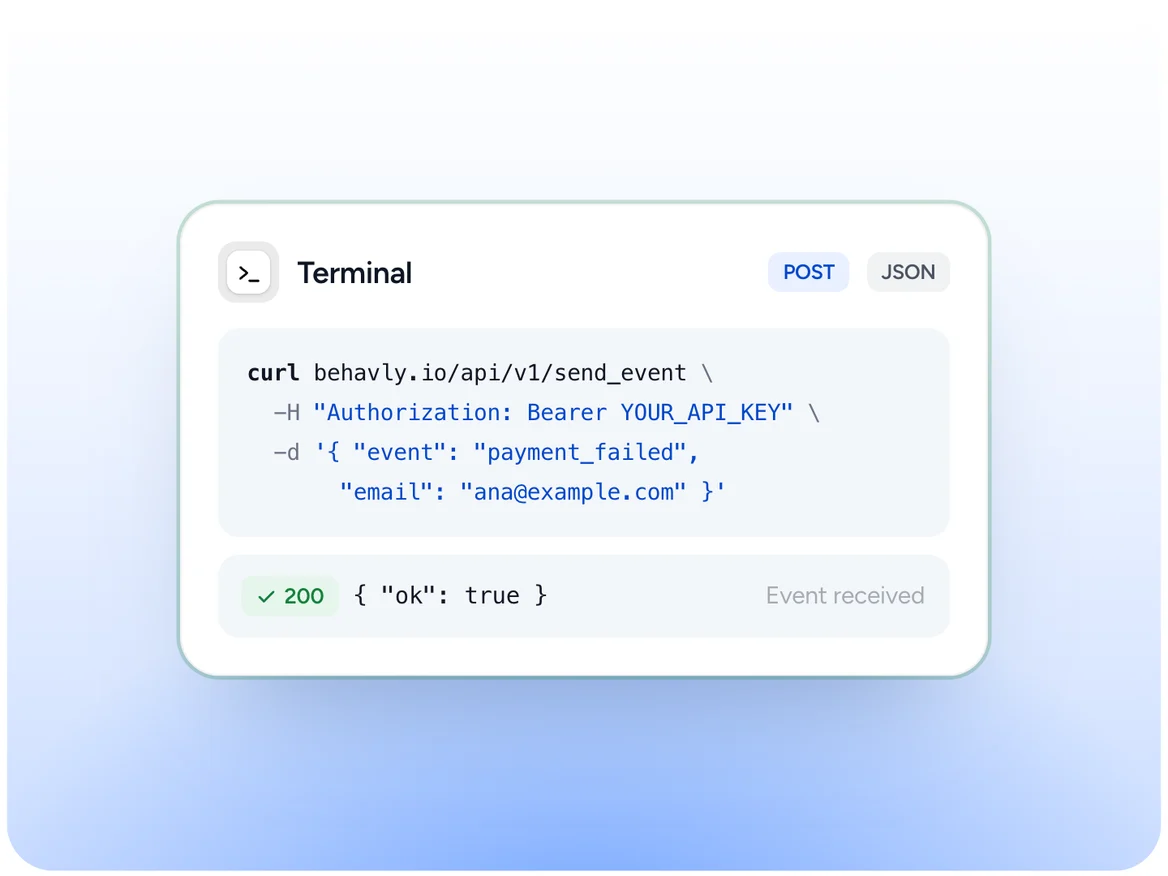
It doesn’t wait for you to plan events. One script tag on your signed-in pages records each person’s page views, clicks, scrolling and pointer movement, merged across their devices, with no identify call. When you want product actions too, such as project_created, add behavly.track; moments that happen on your server, such as a declined card, arrive through send_event and can start a Trigger Campaign for that person on the spot.
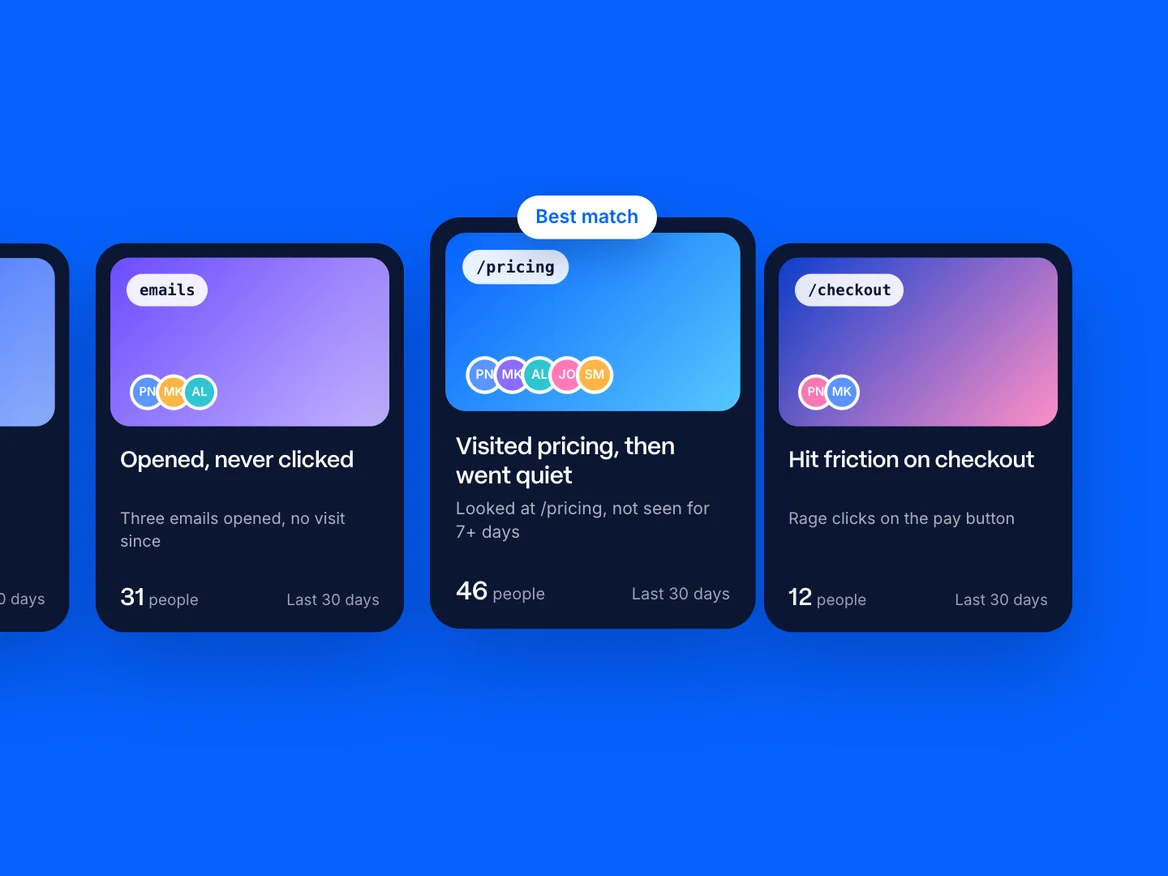
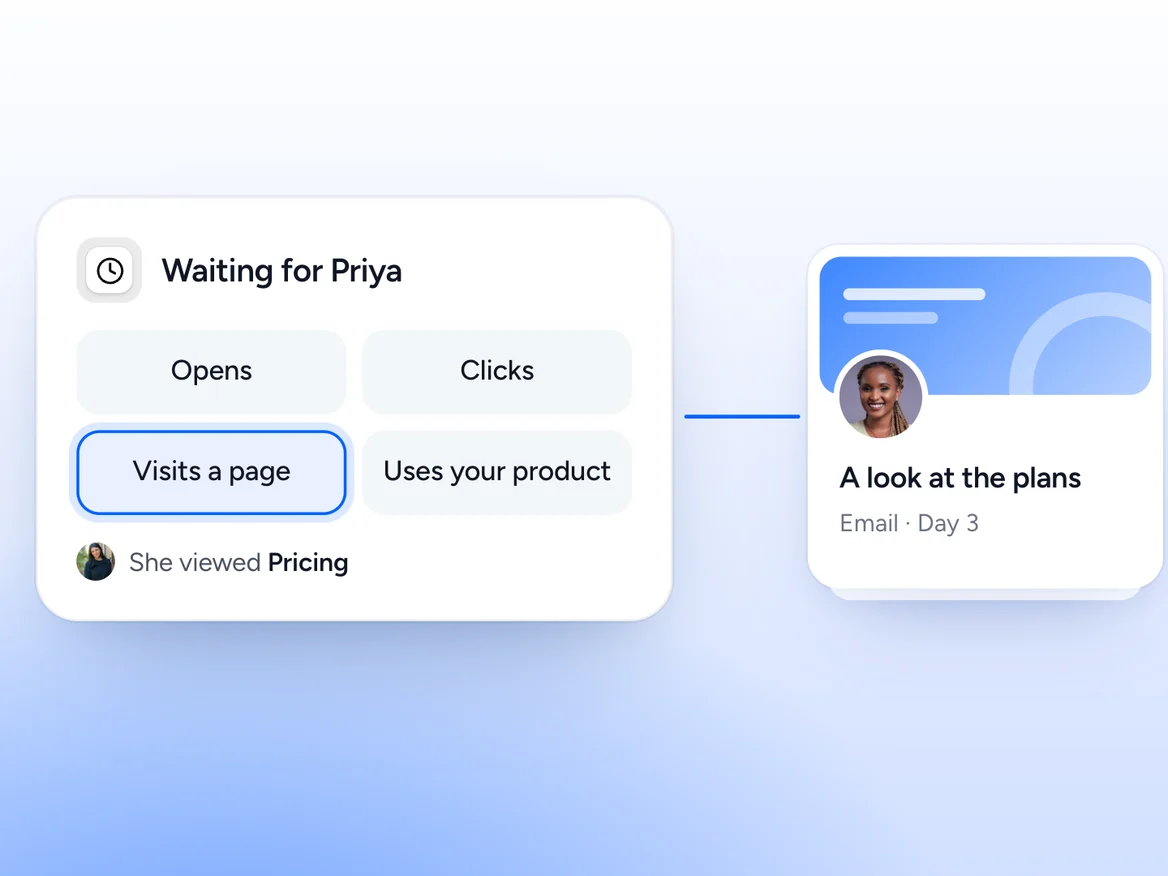
Who hears from you is up to you: a group Behavly detected in that activity, one you describe in plain words, or everyone. A Pattern Campaign runs its path for that group once, or stays always on and takes people in as they qualify. Branches check opens, clicks, logins, page visits, replies and product actions, and you can describe the whole path in a sentence for Behavly to lay out.
When someone reaches an email step, Behavly writes that email from what they did, in their language, and sends it from your own mailbox (Gmail, Zoho or any IMAP/SMTP host) or an email service such as Resend, Amazon SES or Postmark. Replies come back with the sender’s activity beside them.
- Where it’s strong
- No event plan needed up front. Each email is about what that person did, not a template with their name merged in. Behavly detects groups by behavior, or you describe one in plain words. Any email step can be A/B tested and measured against the path’s goal, and heatmaps of your own site, for everyone or one person, come with every plan. With Review on, you approve the emails before they go out.
- Built for
- Product teams emailing the people who use their app, plus leads who came in through their forms, where each follow-up should be about that person’s own visits and actions and read like a note from a colleague.
- Pricing
- Free with no time limit (100 tracked contacts, 50 personalized emails a month). Starter $79/month (2,500 tracked contacts, 2,000 personalized emails). Growth $249/month (10,000 tracked contacts, 8,000). Scale $699/month (40,000, 30,000), through sales. Templates sent exactly as designed are unlimited, and always-on and Trigger Campaigns have no plan limit, Free included.
Customer.io: best for multi-channel journeys
Customer.io is the broadest platform in this group. Your app sends events through its SDKs, API or webhooks, or through Segment, and a visual journey builder acts on them with true/false, multi-split and random-cohort steps.
Because email, SMS, push, in-app, WhatsApp and LINE are all on the entry plan, one journey can switch channels mid-way. If you’re weighing a move off it, see Customer.io alternatives, or the head-to-head Behavly vs Customer.io.
- Where it’s strong
- Six channels without an add-on. A/B and multivariate tests on every plan, and seats are unlimited. Transactional and marketing email live together. Its AI Agent, labeled beta, can draft messages and assemble journeys.
- Where it falls short
- The bill starts at $100/month and counts every identified person and object, active or not. Warehouse, Salesforce and HubSpot integrations sit on Premium, from $1,000/month billed yearly. Engineers have to wire up the events, and your team designs each journey and owns the copy.
- Pricing
- Essentials from $100/month (5,000 profiles), $145 at 10,000 and $235 at 20,000. A 14-day trial, no free plan, and a free year for startups that have raised under $10M.
Loops: best for simple event-triggered email
Loops keeps behavioral email lean. A workflow fires when a contact is added or updated, joins a list, or when an event lands from its API or from Segment, RudderStack or PostHog.
Steps are emails, timers, audience filters, branches and experiments, which covers most onboarding and activation flows at about half Customer.io’s price for 5,000 contacts. For other options in its price range, see the alternatives to Loops; for how it differs from per-person writing, our Behavly vs Loops comparison.
- Where it’s strong
- Subscribed contacts are all you pay for: sends are unlimited on paid plans and there are no seat fees. The free tier is real. Transactional email is included once you pay. Stripe, Zapier, Supabase and Clerk connect natively, and developers get an API, a CLI and an MCP server.
- Where it falls short
- Email only. No built-in AI writer is documented, so the copy is yours. It acts only on events you send it, so someone still decides what to track and wires it up. Every subscribed contact counts, active or not.
- Pricing
- Free for your 1,000 newest contacts, up to 4,000 sends in any rolling 30 days, with a “Powered by Loops” footer. Paid from $49/month (5,000 contacts), $99 (10,000) and $199 (25,000).
Bento: best for the lowest entry price
Bento suits indie and small teams watching cost. Behavior arrives through a JavaScript SDK (bento.identify and bento.track) or its Events API, and flows split on tags, fields, segments or Liquid expressions.
Tanuki, its assistant, can draft a whole flow, from triggers and delays to branches and emails, and writes copy in every editor. Set to “Ask”, it waits for your go-ahead before changing anything.
- Where it’s strong
- $29/month buys 5,000 active users, and only people who are subscribed or had an event in the last 30 days count. Marketing email is unlimited under fair use, with no seat fees, and Tanuki comes with unlimited use. Transactional email costs very little.
- Where it falls short
- No free plan, only a 30-day trial. Push, SMS and WhatsApp need the $30/month Chat add-on. A/B testing is documented for broadcasts, not flows. Segment connects through a destination function rather than a native app.
- Pricing
- $29/month up to 5,000 active users, then $0.01 per active user up to 50,000: $79 at 10,000 and $229 at 25,000. Transactional email: 100 a month free, then $5/month up to 12,500.
Userlist: best for B2B account-level email
Userlist is shaped around B2B SaaS, where a customer is a company with several users. People and companies link many-to-many, so a campaign can fire on what a whole account does rather than one person.
Lifecycle, marketing and transactional email share one visual builder with in-app messages. Data comes in through its HTTP API, libraries for JavaScript, PHP, Ruby, Rails and Laravel, or Segment and RudderStack. Alternatives to Userlist covers what else fits a B2B team, and our Behavly and Userlist comparison sets the two side by side.
- Where it’s strong
- The users-plus-companies model. Email and in-app messages in one place, with transactional email from Basic. A 60-minute roadmapping session for new accounts. Stripe, HubSpot, Zapier, Intercom and Slack integrations.
- Where it falls short
- $149/month to start, and every user counts, active or not. Basic stops at 20 custom events, and A/B split tests and conversion goals need Professional at $349/month. No SMS or push, and no AI writer is described.
- Pricing
- Basic $149/month (10,000 users, 5 seats), plus $10 per extra 1,000 users. Professional $349/month. 20% off billed yearly. A 14-day trial with card details upfront, and 50% off for a year for startups that have raised under $500k.
Encharge: best for billing-driven flows
Encharge plugs straight into Stripe, Chargebee, Chargify, Paddle and Recurly, so trials, upgrades and cancellations can drive flows without engineering work. Flows are triggers, filters and actions, with segments on website and email behavior plus lead scoring.
Product behavior is the catch: its Ingest API and event-based segments are Premium only, so in-app events start at $159/month ($129 billed yearly). Magic Writer drafts subject lines or whole emails in the editor. What Encharge users switch to looks at the options.
- Where it’s strong
- No-code billing integrations. A/B tests on one email, a sequence or a whole flow. AI writing help in the editor. Unlimited seats and flows.
- Where it falls short
- Product events, Segment, HubSpot, Salesforce and transactional email all need Premium. Email only. Monthly sends are capped at 10 times your subscribers on Growth and 12 times on Premium, with overages beyond that.
- Pricing
- Growth from $99/month (2,000 subscribers), or $79 billed yearly; $249 at 10,000. Premium from $159/month, or $129 billed yearly. A 14-day free trial.
Vero: best for warehouse or CDP data
Vero fits teams whose data is already organized. Workflows react to events as they arrive, and segments update with them. Sources include its track API, Segment, RudderStack, and Snowflake, Redshift or BigQuery directly, all on the entry plan.
It sends email and iOS and Android push, through Vero’s own sending or your SendGrid, Mailgun or Mailjet account, picked campaign by campaign. Vero is also partway through a move to a warehouse-native Vero 2.0, which our guide to replacing Vero explains.
- Where it’s strong
- Billing on events and messages rather than stored profiles. Warehouse and CDP sources from day one. Your own email provider if you want it. A/B testing on both plans and unlimited seats. An MCP server lets an assistant such as Claude build audiences and draft campaigns.
- Where it falls short
- Starter stops at 10,000 emails and 160,000 events a month, and Professional beyond it has no public price. SMS is Professional only, and in-app messages aren’t listed. No in-editor AI writer is described.
- Pricing
- Starter $54/month, or $49 billed yearly: 5,000 profiles, 10,000 emails, 20,000 push messages and 160,000 events a month. Professional is priced on usage.
Brevo: best for SMS plus behavioral email on a budget
Brevo is a general marketing platform for small businesses, priced mostly on how much you send. Email, SMS and transactional email come on every plan, but the behavioral part, marketing automation with web and event tracking, starts on Standard.
Events reach it through the Brevo tracker or its Track API. Automations use conditional splits, though splits with up to 10 branches are Professional and Enterprise only.
- Where it’s strong
- A free plan and a very low entry price. SMS on every plan, transactional email included, and an AI content generator from Starter. More than 150 integrations, Stripe and Zapier among them.
- Where it falls short
- The $9 and $18 plans cap contacts at 500. WhatsApp, mobile push and extra seats need Professional at $499/month. Segment and warehouse connections are Enterprise-managed. It’s built for general small-business marketing more than SaaS lifecycles.
- Pricing
- Free up to 300 emails a day. Standard from $18/month (5,000 emails, 500 contacts), $49 (15,000 emails, 2,500 contacts) and $69 (20,000 emails, 500,000 contacts). Professional $499/month.
How to choose a behavioral email tool
| If you… | Look at |
|---|---|
Want each email written from what that person did, without planning events first | Behavly |
Need SMS, push and in-app in the same journeys, and have engineers to send events | Customer.io |
Want the simplest event-triggered email, plus transactional, at a low price | Loops |
Want the lowest entry price, with AI that drafts flows | Bento |
Sell to companies and want account activity to trigger email | Userlist |
Want Stripe, Chargebee or Paddle data to drive flows | Encharge |
Keep product data in a warehouse or CDP | Vero |
Need SMS on a tight budget | Brevo |
Whichever you pick, start with one flow, usually onboarding for new sign-ups, and check that its trigger fires for the right people before you build the second. If you want AI to write the copy, our round-up of the best AI lifecycle email tools for SaaS looks at what each tool’s AI actually writes.
Questions
- What is the best behavioral email tool for SaaS?
- For follow-ups written from what each person did, with tracking built in, Behavly. Customer.io is the most complete multi-channel platform, with SMS, push and in-app, if engineers can send events. Loops is the simplest for email only, Bento has the lowest entry price, and Userlist suits B2B account-level email.
- What is the cheapest behavioral email tool?
- Behavly and Loops both start free: Behavly for 100 tracked contacts with no time limit, Loops for your 1,000 newest contacts. Brevo’s free plan sends 300 emails a day, though its automation starts on the $18 Standard plan, and Bento is $29/month for 5,000 active users. Customer.io, at $100/month, and Userlist, at $149/month, cost the most to start.
- Do I need a developer to set up behavioral email?
- Not with Behavly: one script tag records each signed-in person’s activity, with no identify call, and
behavly.trackis only needed for product actions. Most other tools act on events your code sends, through an SDK, an API or a tool such as Segment. Encharge can start from billing data in Stripe, Chargebee or Paddle without code. - Which behavioral email tools also send SMS or push?
- Customer.io includes SMS, push, in-app and WhatsApp on its entry plan. Brevo has SMS on every plan. Vero sends push on Starter and SMS on Professional. Bento adds push, SMS and WhatsApp with a $30/month add-on, and Userlist adds in-app messages.
- Is behavioral email the same as marketing automation?
- Not quite. Marketing automation often starts from list actions, such as signing up or opening a newsletter. Behavioral email starts from what someone does inside your product, such as creating a project or going quiet. Most tools here do both, but they differ in how product behavior reaches them.