 Behavly
The AI crawlers card at the bottom of Insights → Site activity counts the requests AI and search crawlers make to your site, in four tabs:
- AI answers
- A page fetched because someone asked an assistant about it just now: ChatGPT, Claude, Perplexity, Google's AI tools (shown as Gemini), Le Chat, Kimi, DuckDuckGo and Meta AI.
- Indexing
- Crawlers building the search indexes answers are later drawn from: Google, Bing, OpenAI's search, Anthropic's search, Perplexity, Mistral, Moonshot AI and Meta.
- Training
- Crawlers collecting pages for future models: OpenAI's GPTBot, Anthropic's ClaudeBot, Apple's Applebot, Google's general and Vertex AI crawlers, Common Crawl, Moonshot AI and Meta.
- Other AI
- AI crawlers whose owner doesn't say what they read pages for, like OpenAI's ad crawler, Meta's FacebookBot or xAI's GrokBot.
A crawler a company adds before Behavly knows its name still counts under that company, as long as its user agent names the company ("Claude", "Gemini", "Grok"…).
Why Your Server Sends Them
Crawlers read the page and leave. They never run JavaScript, so the Behavly snippet never sees them. Only the server that answers the request does, so it forwards each crawler visit to Behavly. A few lines of code do it, and only crawler requests for pages are sent: your visitors are never slowed down or reported, and scripts, images and API calls stay on your server.
Set It Up
- 1On Insights → Site activity, choose Set up on the AI crawlers card.
- 2Copy the code for where your site runs: Next.js, Express, a Cloudflare Worker, Cloudflare Pages or PHP. It already carries your site's key, so there is nothing to create.
- 3On Next.js, Express and Cloudflare, install Behavly's package first:
npm install @behavly/crawlers. The code is then an import and one line. PHP needs nothing installed. - 4On Next.js 16 it goes in
proxy.ts. On Next.js 15 or older, put the same code inmiddleware.tsand name the functionmiddleware. Already have the file? Add thetrackCrawlersline to yours. - 5Deploy, then ask ChatGPT to open a page of your site. The visit shows on the card within a minute.
Running something else? Send one request per crawler visit, from your server:
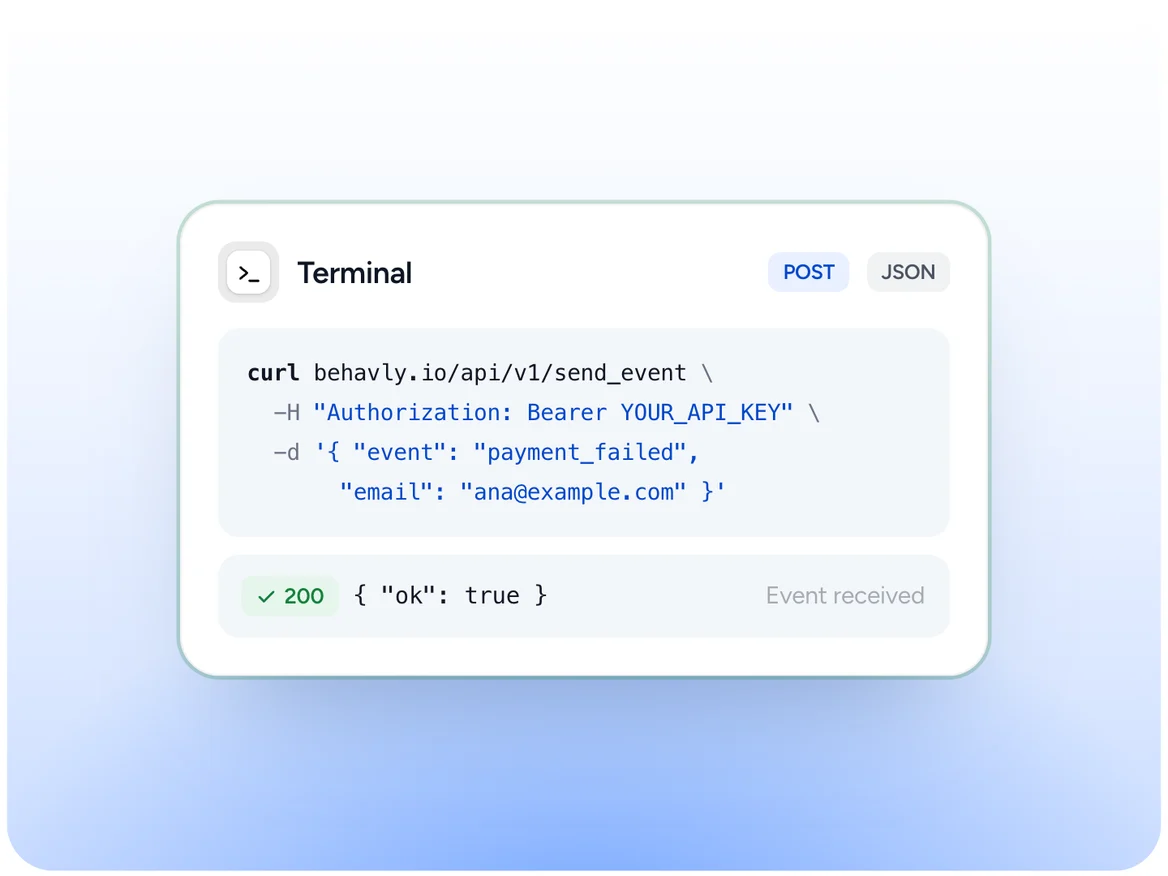
POST https://behavly.io/api/track/crawler
Content-Type: application/json

{
  "site": "bv_pk_…",
  "ua": "<the request's User-Agent>",
  "ip": "<the visitor's IP address>",
  "url": "https://your-site.com/pricing",
  "method": "GET",
  "status": 200
}
site is your site's snippet key, from Tracking. url must be on your site's domain; path ("/pricing") works too. status is the HTTP status code your server answered with; leave it out if you send the visit before answering. Add "dry": true to check your site without saving anything. Up to 100 visits can go in one request as "hits": [ … ]. Your code only needs a rough first filter on the user agent: Behavly decides which crawler it is, so crawlers added later arrive without you changing anything.
The Visitor's Address
Send the address the platform itself sets: x-real-ip on Vercel, cf-connecting-ip on Cloudflare, req.ip in Express (with trust proxy behind a load balancer), REMOTE_ADDR in PHP. Behind Cloudflare's proxy, use cf-connecting-ip only if every request comes through Cloudflare: otherwise anyone can send that header and pick their own address.
Settings
Under the code, Settings has two switches for each site:
- Only accept visits sent with an API key. Off by default. Turn it on to refuse any crawler visit for your site that doesn't carry one of your keys: create a key with Send events only access in Settings → API, add it to the package's options as
apiKey(or send it asAuthorization: Bearer <key>), deploy, then turn the switch on. - Companies to count. Turn a company off and its visits are skipped before they are stored.
How A Visit Is Checked
Anyone can send a request that says it is ChatGPT. A visit counts only when it also comes from an address on the list the crawler's company publishes: OpenAI, Anthropic, Google, Microsoft, Perplexity, Apple, Common Crawl, Mistral, Moonshot AI, DuckDuckGo and Meta. Visits that only borrow a crawler's name are kept apart and never added to a total; the card says how many it left out.
Some companies publish no addresses at all: Grok, Copilot, Qwen, Amazon, ByteDance, Baidu, DeepSeek, Cohere and others. Their visits can't be checked, so the card leaves them out by default and says how many there were. Choose Show them under the list to add them, marked apart from the checked ones.
Every crawler Behavly recognises, with its user agent, the IP list it's checked against and its company's documentation, is in the AI crawler list.
The address is used for that check and then dropped. Behavly keeps the crawler, the page, the hour and a count: no address, no cookie, nothing about a person.
Reading The Numbers
- The numbers are requests, not people. One answer in ChatGPT can fetch several pages.
- AI answers is a minimum. Assistants often answer from their own index without opening your page again.
- Only pages count, plus
robots.txt,llms.txt, sitemaps and.mdpages. Scripts, styles, images, fonts and API calls never do.
Pages That Don't Exist
When your server sends the status code it answered a crawler with, Behavly keeps it. The Express and Cloudflare Worker code send it on their own, since they forward the visit after your site has answered.
- In a company's panel, a page most of whose crawls were answered 404 or 410 is marked Not found. Choose Not found next to the filter to see only those.
- Under the list of companies, the card says how many requests asked for pages that don't exist.
- These are pages crawlers expect to find: a link an assistant cites, an old address still in a search index. Redirect each one to the page that replaced it, or bring it back.
Code that forwards a visit before your site answers (Next.js proxy.ts, Cloudflare Pages, PHP) can't know the status, so its visits are counted as usual and never mark a page Not found.
Read It Through The API And MCP
The same numbers are in the Behavly API and the MCP server, so an AI app connected to your workspace can answer "which pages did ChatGPT read this week?". Each is an action, called at /api/v1/<action> or as an MCP tool:
- get_ai_crawler_activity
- Requests per category and company over a range, with checked, unchecked and name-only counts, the status codes they were answered with and a trend.
- list_ai_crawler_pages
- The pages a company's crawlers read, with their status codes.
only_missingreturns only the pages that don't exist. - get_ai_crawler_settings
- Each site's two switches above, and whether its server has sent a crawler visit yet.
- update_ai_crawler_settings
- Changes the switches. Needs a key with write access.