 Behavly
Time to first value (TTFV): what it is and how to measure it
Time to first value is how long a new user takes to get the first real result from your product. Here is how to pick the event that counts as value, measure the time with a worked example, and report the people who never get there instead of leaving them out.
Time to first value (TTFV) is the time from the moment someone signs up to the moment they first get a real result from your product: the first invoice sent, the first report shared, the first meeting booked. You measure it by subtracting the signup time from the time of that first value event, for each person.
The formula is the easy part. The hard parts are choosing the event that really means value, and deciding what to do with the people who never reach it. Most time to value numbers quietly leave those people out. This post covers how to pick the event, how to measure it with a small worked example, and how to report the people who stall.
What time to first value means
Time to first value = time of the first value event − signup timeBaremetrics and Userpilot give the same formula on their time to value pages. Two terms get mixed up, so keep them apart:
- Time to first value
- The first real result a new user gets. It happens once per person, usually in the first days. This is the number onboarding can move.
- Time to full value
- The point where a customer gets everything they bought the product for: the whole team on it, the integrations running. It can take months. Product School calls this full value, as against basic value, and Custify calls the stage after it time to exceed value.
When people say “time to value” without a qualifier, they usually mean the first one. This post does too.
How to pick the value event
The value event is the first moment the user gets what they came for, seen from their side, not yours. Baremetrics makes the same point: setting up, logging in and looking around are not value. A useful test is to ask whether the user would tell a colleague about it. Nobody says “I verified my email today.” They do say “I sent my first invoice from the new tool.”
| Product | Not value (setup or activity) | First value |
|---|---|---|
Invoicing tool | Added a company logo | First invoice sent to a client |
Scheduling tool | Connected a calendar | First meeting booked by someone else |
Analytics tool | Installed the tracking script | First report opened with real data in it |
Team chat | Created a workspace | First reply from a teammate |
Setup steps still matter. They are the steps before value, and they are where people stall. They are just not the finish line.
Check the event against who stays
A value event is a guess until you check it against behavior. Userpilot’s time to value page (checked 2026-11-24) gives a simple test. Split new users into those who did the event within 48 hours and those who did not, then compare their 30-day retention. Userpilot reads a gap of 10 to 15 percentage points as a strong sign that the event is a real first value event.
- A big gap: people who do it early tend to stay. Keep the event.
- No gap: the event is probably a setup step or a habit everyone has. Pick a later, more specific one.
- Almost everyone does it: it cannot tell users apart, so it cannot be your value event.
This check needs retention per user over 30 days, so run it where that data lives: your own database or your product analytics tool. It is a check, not proof. People who would have stayed anyway may also be the ones who move fast.
1 day, 12 hours, 23 minutes
How to measure time to first value
- 1Fix the start. Use the moment the account was created. Use the same definition for everyone, every time.
- 2Fix the value event. One event, sent from your product with a clear name, such as
invoice_sent. Store the time of the first one per person. - 3Pick a cohort and a window. For example, everyone who signed up in one week, followed for 14 days. Measure the cohort only once its window has closed, so late finishers are counted.
- 4Work out each person’s time. The first value event minus the signup time. Anyone without the event in the window is marked “not reached”. They are not dropped.
- 5Report three numbers, not one. The share who reached value in the window, the share who reached it quickly (within 48 hours, say), and the median time for those who reached it.
Use the median, not the average. Custify recommends the median for each monthly cohort, because a few very slow accounts pull an average up. Compare cohorts against each other over time. Your own trend says more than any outside benchmark.
A worked example
Tallyroom is a made-up invoicing tool, and every number below is invented to show the method. Its value event is invoice_sent: the first invoice a new user sends to a client. Ten people signed up in one week, and each was followed for 14 days.
| Person | Signed up | First invoice sent | Time to first value |
|---|---|---|---|
A | Mon 09:00 | Mon 10:00 | 1 hour |
B | Mon 14:00 | Mon 17:00 | 3 hours |
C | Tue 10:00 | Wed 06:00 | 20 hours |
D | Tue 16:00 | Wed 22:00 | 30 hours |
E | Wed 11:00 | Fri 17:00 | 54 hours |
F | Thu 09:00 | Next Wed 09:00 | 6 days |
G | Thu 15:00 | None in 14 days | Not reached |
H | Fri 10:00 | None in 14 days | Not reached |
I | Fri 13:00 | None in 14 days | Not reached |
J | Sun 20:00 | None in 14 days | Not reached |
- Reached first value within 14 days: 6 of 10.
- Within 48 hours: 4 of 10 (A to D).
- Median for the six who got there: 25 hours, halfway between C and D. Their average is 42 hours, pulled up by F alone.
- Time for half of all ten signups to get there: 54 hours. This is the fifth person, E, counting the four who never got there as slower than everyone else.
“Median TTFV: 25 hours” sounds healthy, but it describes only six people out of ten. The honest line for this cohort is: 6 of 10 reached first value within 14 days, 4 of 10 within 48 hours, and those who got there took a median of 25 hours.
Signup is not activation: the people who never get there
A signup only says someone was curious enough to make an account. Until they reach the value event, they have not activated, however many setup screens they clicked through. In the example, four of ten never did, and a median of the finishers alone hides them completely.
- Count them separately. Report the share who reached value next to the time it took, always together.
- Never average only the finishers. If more people stall next month but the ones who finish are quick, a finishers-only number improves while activation gets worse.
- Use a fixed window. “Not reached within 14 days” is a number you can compare from cohort to cohort. “Not yet” is not.
- Look at where they stopped. The step before the value event, such as adding a first client in Tallyroom, is usually where most of them are. That is what to fix, and what to write to them about.
For the follow-up itself, see activation emails for users who never activated.
Where Behavly helps
Behavly does not calculate time to first value for you. It records the value event for each signed-in person, counts it, and follows each new user until they reach it.
Record the value event for each person
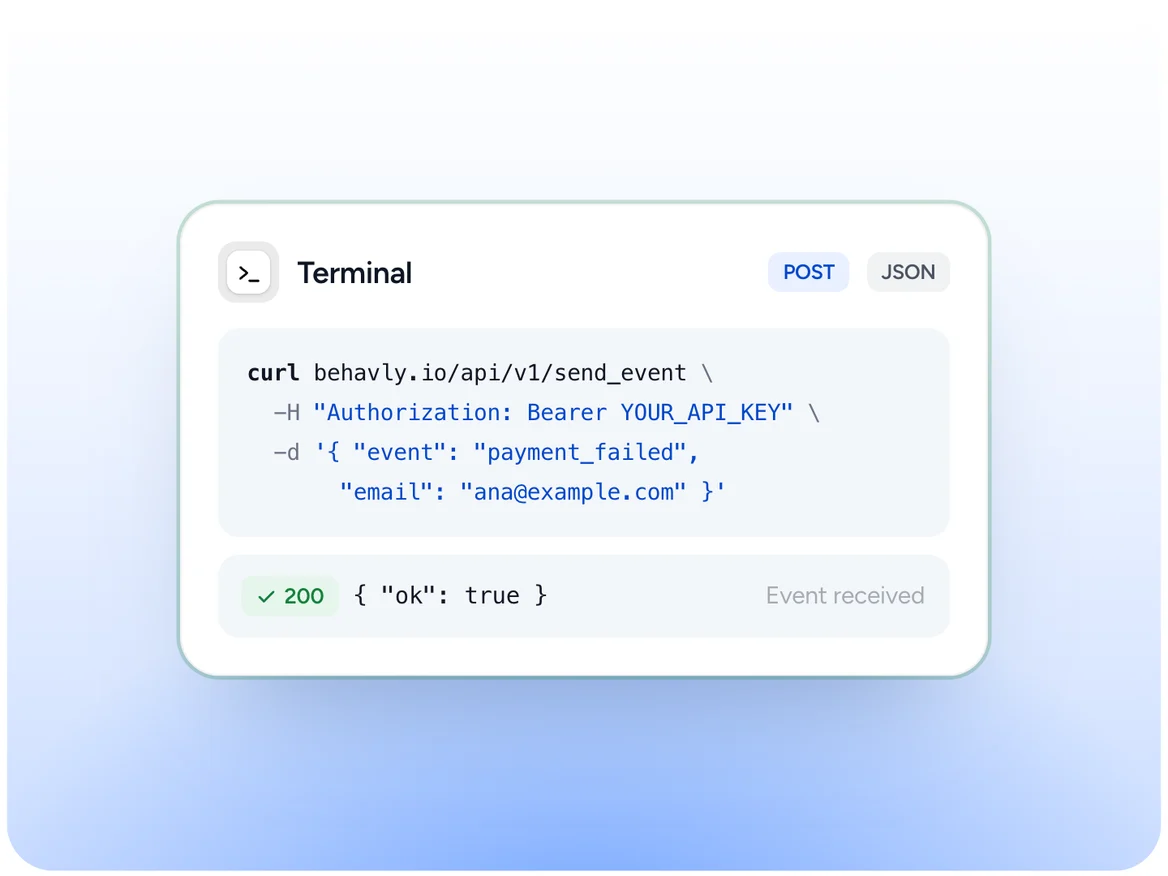
Install the tracking snippet on your signed-in pages, not only on the marketing site. You do not call an identify function: the snippet detects the signed-in session and attaches the activity to that person. Send the value event from your site the moment it happens, for example behavly.track("invoice_sent").
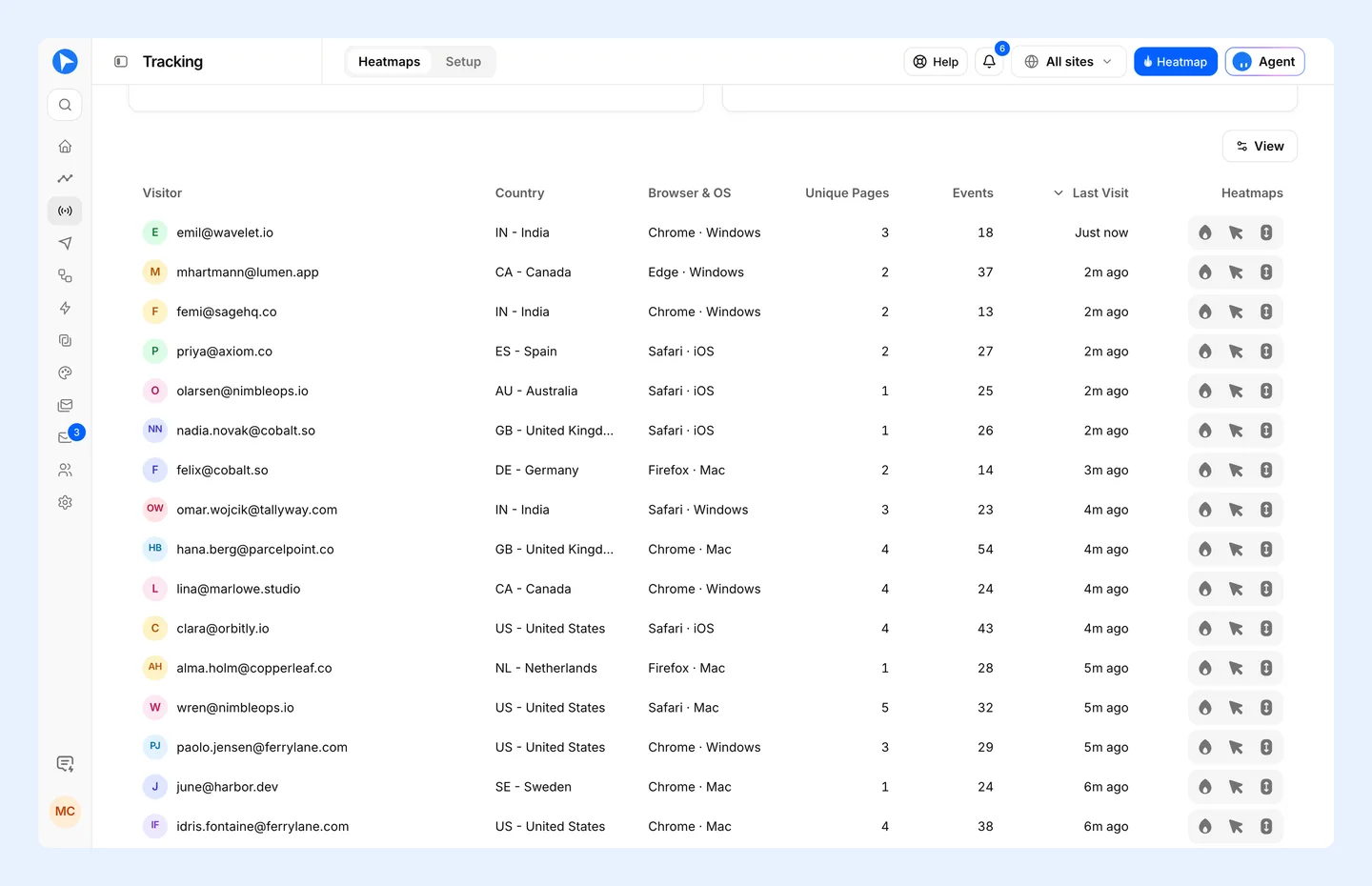
In Tracking → Heatmaps, set Whose activity to Identified users to see one row per person. The Identified column, shown with View, is when each person first signed in, next to their latest activity.
Count it as a goal
In Insights → Site activity, open the ⋮ menu on the Goals card, choose Manage goals, and add a custom event goal for invoice_sent. Goals apply to your past data as soon as you add them. Uniques is the visitors who completed the goal in the period, Total how many times, and CR the share of the period’s visitors who completed it.
CR is a share of all visitors in the period, including anonymous ones, and Uniques counts anyone who sent an invoice in the period, not only new signups. Neither is your activation rate. For that, divide the cohort’s first value events by the cohort’s signups, as in the example above.
A funnel shows one part of time to first value: who gets there in their very first visit. Add goals for /signup, an account_created event and invoice_sent, then choose Add funnel. A funnel counts a visit at a step only if it completed every step before it, in order, in the same visit. So the last step counts people who reached value without leaving. Someone who comes back two days later to send their first invoice is not counted there. See AI funnel analysis for reading a funnel.
Follow each signup until the value event
Send a signed_up event when an account is created, from your server or with behavly.track on your site. A Trigger Campaign that starts on it takes each new user in the moment it arrives, and Once per person fits a signup. Then build the path around the value event:
- 1Under Goal, choose the action
invoice_sentand turn on Take them off the path when they reach it. Anyone who reaches first value leaves the path at once. - 2Add a Wait of about as long as most of your finishers take. For Tallyroom, two days.
- 3Add a Behavly Agent email about the step they stopped at, with Skip if they already did it set to that step.
- 4Add another wait and one or two more emails, then stop.
On the campaign, Activity shows how many people Entered and how many Reached goal, and People lists the 40 most recent, each with a timeline of everything that happened to them. Trigger Campaigns work on every plan, Free included. See Start A Campaign From A Trigger.
Shorten it with the right email at the stall
Most of the time lost before first value sits at one step. Fix that step in the product first. Then write to the people stuck there about that step, not with a general “getting started” email. For Tallyroom, the stall is between adding a client and sending the first invoice:
Subject: Your first invoice to Harbor Studio
Hi Maya,
You added Harbor Studio as a client on Tuesday. The invoice for them is one step away: pick the client, add a line, and send.
If you bill by the hour, the time you logged can go on the invoice as it is.
Send the first invoice: [link]
If something stopped you, reply and tell me what.
Sam
A made-up example. It names the step this person already did and the one step left before value.
- For a reminder about one unfinished setup step, see the onboarding incomplete email.
- For the whole sequence from signup on, including stall emails, see the SaaS onboarding email sequence.
- For an AI agent that writes each onboarding email from what that person did, see AI user onboarding.
- Once people are past first value, see what to track beyond logins to tell who keeps getting value.
Behavly’s Agent guardrails limit every person to 3 emails in any 7 days by default, across all campaigns, so a new user in several onboarding paths does not get an email from each.
What Behavly does not do
- It does not calculate time to value or time to first value, and it shows no median and no benchmark. Work the number out from your own signup and value-event times, the way the example does.
- Funnels count steps within one visit only. A funnel cannot measure days from signup to value.
- It has no cohort retention report. Run the 48-hour retention check in your own database or product analytics tool.
- Anonymous visitors are analyzed, but only identified users get emails. People who never signed in cannot be followed up by email.